

Plan mode in 23 seconds. Turn the sound on for the music.
Plan mode makes Rork think before it builds. You describe the app or the change, Rork asks a few questions, and it writes a plan. It changes no code until you press Build. For a new app, the plan also draws the app’s key screens and a small diagram of how they connect. You see the whole app before a single file exists, and a change costs one message instead of a rebuild.Turn on Plan mode
The mode menu sits next to the model picker in the composer. It shows the current mode, Build by default. Open it and pick Plan.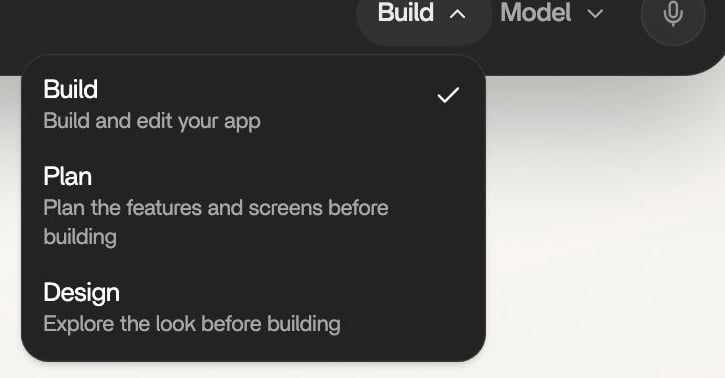
The mode menu. Before an app exists, Plan reads “Plan the features and screens before building”.
The same menu sits on the home screen and inside every project. Only one mode is on at a time: picking Plan turns Design off. Two faster ways in:- On the home screen, press P when you are not typing. It switches Plan on or off and opens the menu so you see the change.
- Open rork.com/?plan=true. The home screen opens with Plan already on.
How a plan comes together
Send your idea
Rork reads before it writes
Answer the questions
Read the plan
Change it, or build it
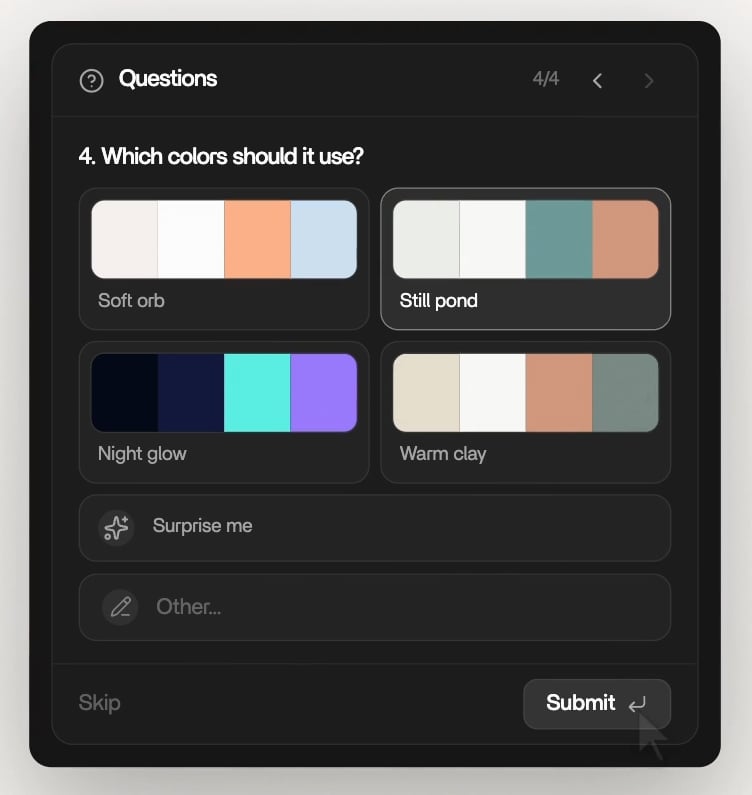
Questions arrive in one card. A color question shows each option as a palette.
Rork asks at most two rounds of questions. After that it writes the plan with what it knows, so a plan never turns into an interview.What a plan contains
A plan is written for a person, not for a programmer. It describes what the app does and how it looks. It never lists file names, libraries, or code.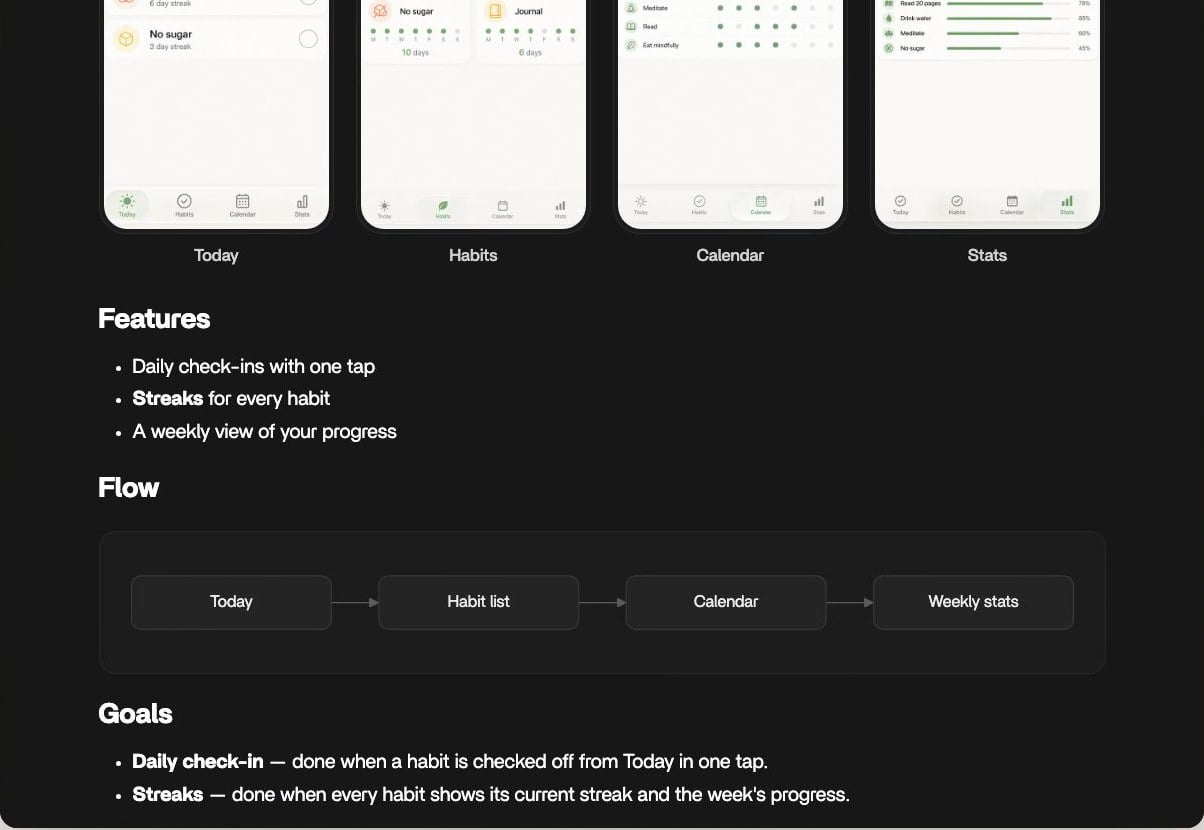
A new app’s plan: its screens, then Features, Flow, and Goals.
A small change gets a small plan. A new app gets a fuller one. A plan can also show pictures, for example a reference design Rork found or a screen your app already has, and a diagram box can carry a screen.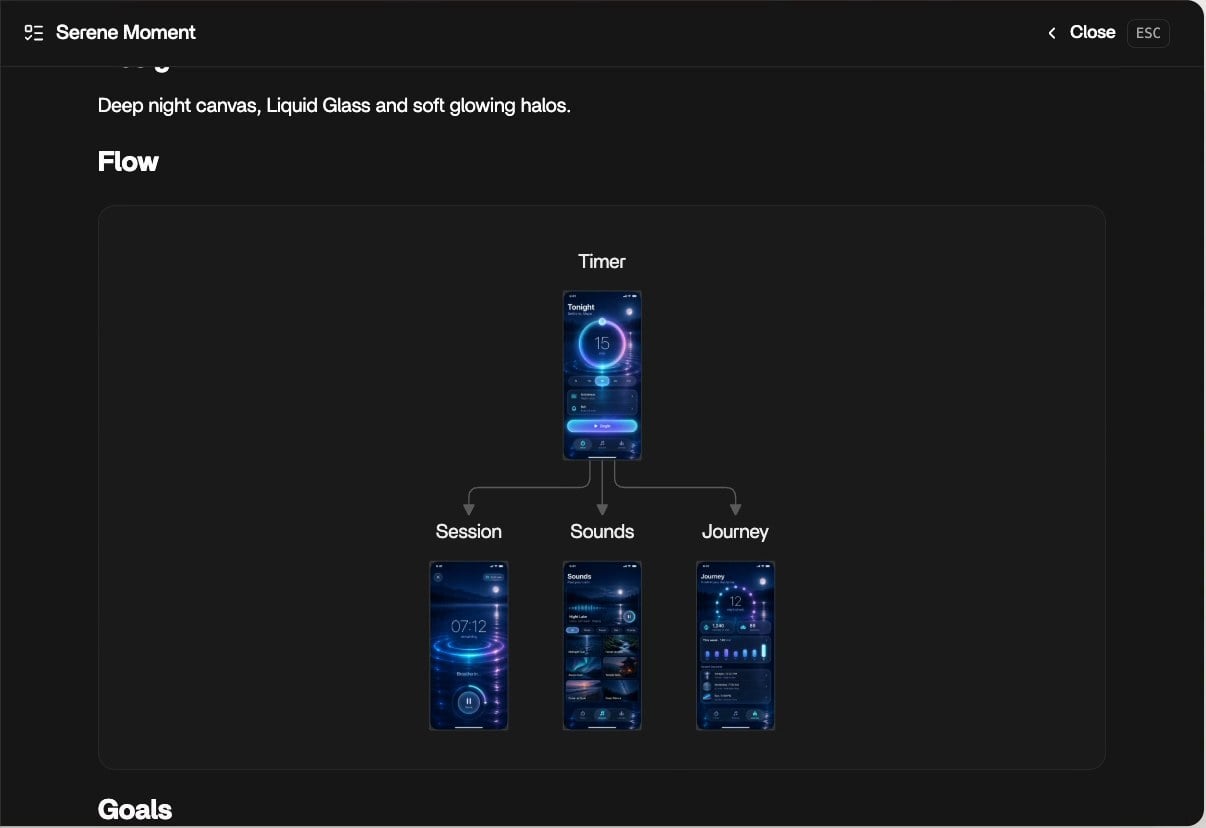
A Flow diagram whose boxes show the drawn screens. Close the panel with Close or Esc.
The plan panel is read-only. To change a plan, ask Rork in chat. This keeps the plan Rork reads and the plan you read the same file.Tutorial 1: plan a new app
This walkthrough takes about five minutes. You end with a plan, drawn screens, and a running app.Pick Plan and send your idea
Answer the questions
Watch the plan and its screens arrive
Press Build
Tutorial 2: change the plan before you build
The cheapest moment to change your mind is before the build. Every change here costs one message, not a rebuild.Keep Plan mode on
Ask for the change in chat
Check what changed
Build when it is right
Tutorial 3: plan a big change in an app you already have
Plan mode is not only for new apps. Use it before a change that touches many screens, like accounts, payments, or a new section.Open the project and pick Plan
Describe the outcome
Read the plan
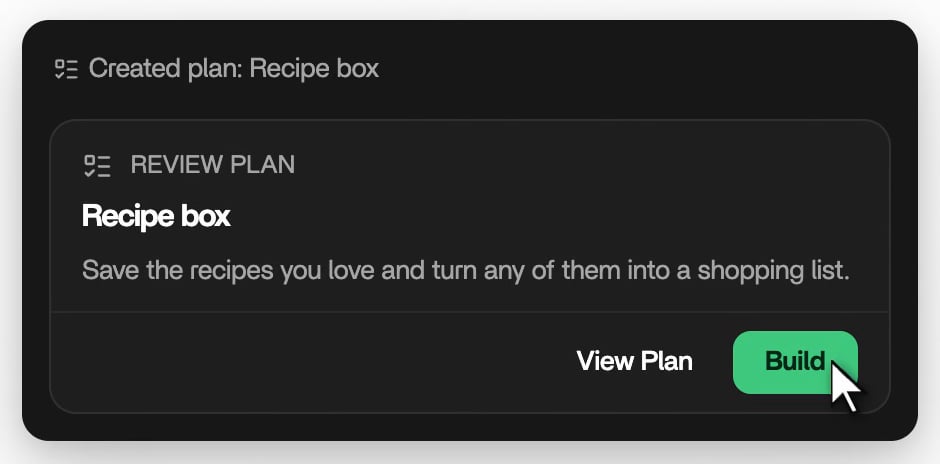
The Review Plan card. View Plan opens the plan, Build starts the work.
Build
Build the plan. for you, turns Plan mode off, and works through the plan. It ticks off each item as it finishes it.When Rork suggests Plan mode
In Build mode, Rork can ask to switch when a request looks large or has several sensible answers. A Switch to Plan Mode? card appears with a short reason.- Approve turns Plan mode on, and Rork plans before it builds.
- Decline keeps Build mode, and Rork goes on with your request.
- No answer in 30 seconds cancels the switch. The card shows how many seconds are left.
After you press Build
- Build sends
Build the plan.and switches Plan mode off for you. No extra approval is needed. - The card then shows Built instead of Build. View Plan stays, so you can reopen the plan at any time.
- Rork keeps the latest plan in front of it on every later message, and ticks off items as it finishes them.
- Each goal becomes its own task. Rork marks a goal done only when its “done when” line is true, or it tells you what is missing.
.rork/plans/ in your project, one file per plan. They travel with your code to GitHub, but they stay out of the file tree in Rork.
What Plan mode cannot do
- It does not change code. Rork only reads, asks, and writes the plan.
- You cannot edit the plan by hand in Rork. The plan panel is read-only, so ask Rork in chat.
- Drawn screens are for new apps only. Once the app exists, a plan is text, pictures, and a diagram.
- Rork asks at most two rounds of questions per plan.
- The mode menu hides while a Design mode session is open. Finish the design or build it first.
- A plan is a strong guide, not a promise of the exact result. Check the preview after the build and ask for fixes as usual.
FAQ
Does Plan mode cost extra?
Does Plan mode cost extra?
What is the difference between Plan mode and Design mode?
What is the difference between Plan mode and Design mode?
I pressed Build by mistake. What now?
I pressed Build by mistake. What now?
Can I go back to an older plan?
Can I go back to an older plan?
.rork/plans/, and Rork follows the newest one. Ask Rork in chat to bring parts of an older plan back into the current plan.Rork asked me to switch and I missed it. Is that a problem?
Rork asked me to switch and I missed it. Is that a problem?
Does Plan mode work on my phone?
Does Plan mode work on my phone?