

Rork Cloud is currently in beta. It is free to use while in beta, and your data is never deleted, even if your subscription ends.
What you get
- No extra sign-ups. Your Rork account is all you need. Rork manages everything for you, and you can ask the Rork agent in chat for anything you need, at any time.
- A database for accounts, shared data, and anything that must sync across devices and users.
- Secure access rules so each user can only read and write their own data.
- Server-side functions for logic that should not run on the user’s device, such as private API keys, payments, and webhooks.
Rork Cloud or your own Supabase?
Both work with Rork the same way, so pick based on what you want to own:- Never built a backend before? Use Rork Cloud. Rork creates and hosts it for you, and there is nothing to set up or pay for while it is in beta.
- Already comfortable with Supabase? Connect your own Supabase project and do everything there, under your own account. Supabase bills you directly on their pricing.
Connect Supabase
Connect your own Supabase project to your Rork app.
Connect Firebase
Connect your own Firebase project to your Rork app.
How to add it
There are two ways to get a backend:- Just ask in chat. Say “Add a database to my app” or “Add a backend” and Rork takes care of the rest.
- From the project panel. Click More (the last icon in the top toolbar), open Database, and press Add a database.
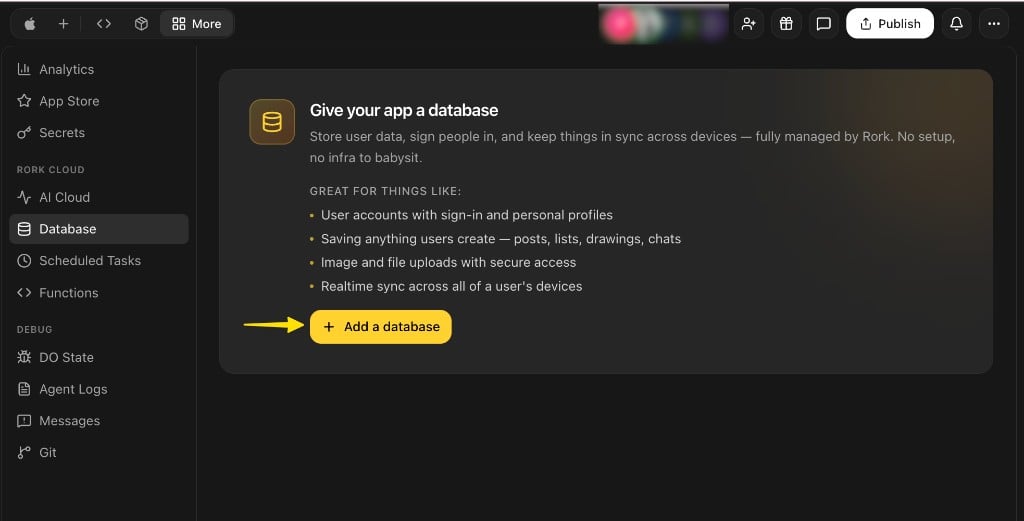
See what your app is storing
Once your backend exists, the Database tab under More shows your tables and row counts, so you can always see what is inside.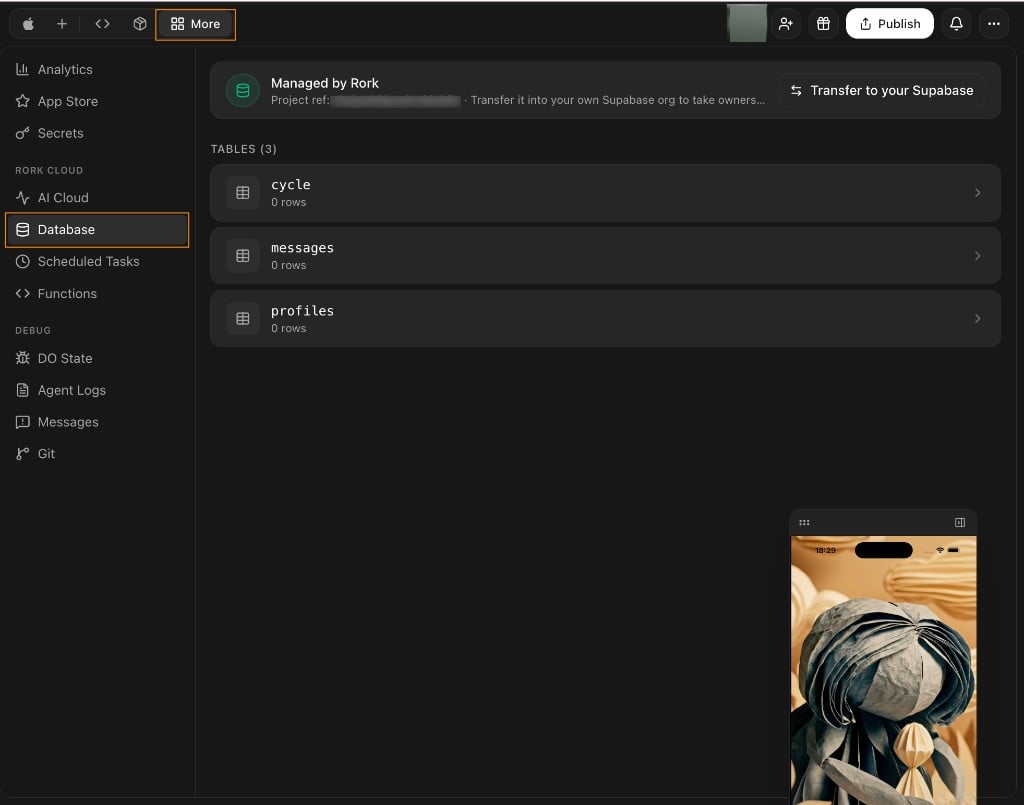
Transfer to your own Supabase
If you later want the backend to belong to you and be managed by you, press Transfer to your Supabase at the top of the Database tab. The whole backend moves into your Supabase organization, with your data. The project’s URL, data, and keys stay the same, so your published app keeps working with zero changes.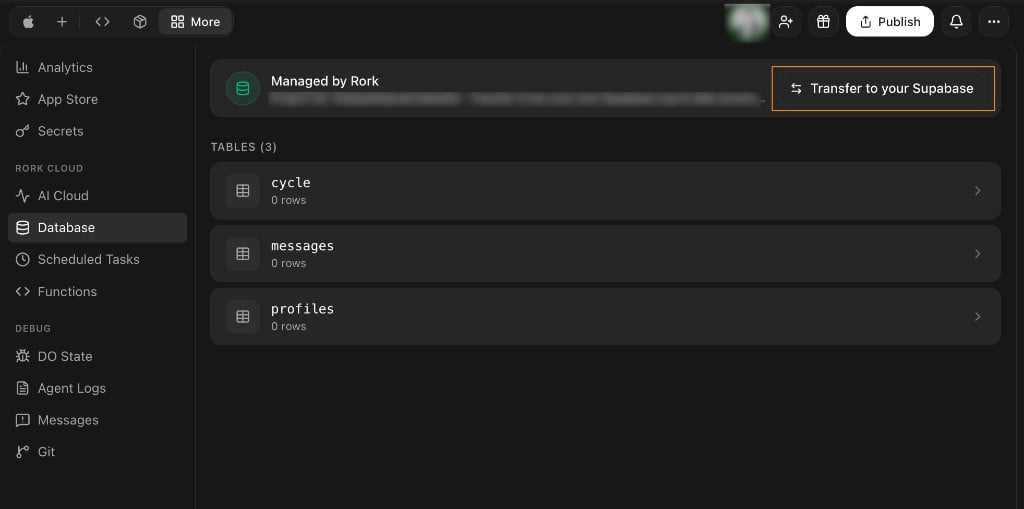
- The transfer is one-way: Rork cannot take the project back afterwards.
- Billing moves to you: from then on you pay Supabase directly for this project, on Supabase’s pricing.
What it costs
Rork Cloud is free while it is in beta. The database, access rules, and server-side functions do not cost anything to run right now. Two related costs are separate from the backend itself:- AI features inside your app (in-app chat, image generation, voice, and similar) run on Cloud credits, pay as you go. See Build credits vs Cloud credits.
- After a transfer to your own Supabase, Supabase bills you directly for the project.
What to expect
- It is a real, production backend. It runs your app’s live data for real users, not a sandbox.
- Changes are live right away. There is no separate preview step, so be careful with actions that delete or overwrite data.
- Your code is yours. On a paid plan you own all generated code and can export it any time through the GitHub integration, with two-way sync. See Code Export.
- You can add accounts and social sign in. Follow Add accounts and sign-in to your app.
If you cancel or stop paying
- Your data is not deleted. Rork does not delete your app’s data, even if your subscription ends.
- Your app keeps working. If you cancel your Rork subscription, your app and its backend keep running.
When you may not need it
- Prototypes that only store data on one device can use local storage.
- Logic, webhooks, or private keys can use server-side functions without a full database.