This guide goes over how to add an free trial offer to your IOS app
Requirements:
RevenueCat already integrated
Subscriptions already configured in the App Store
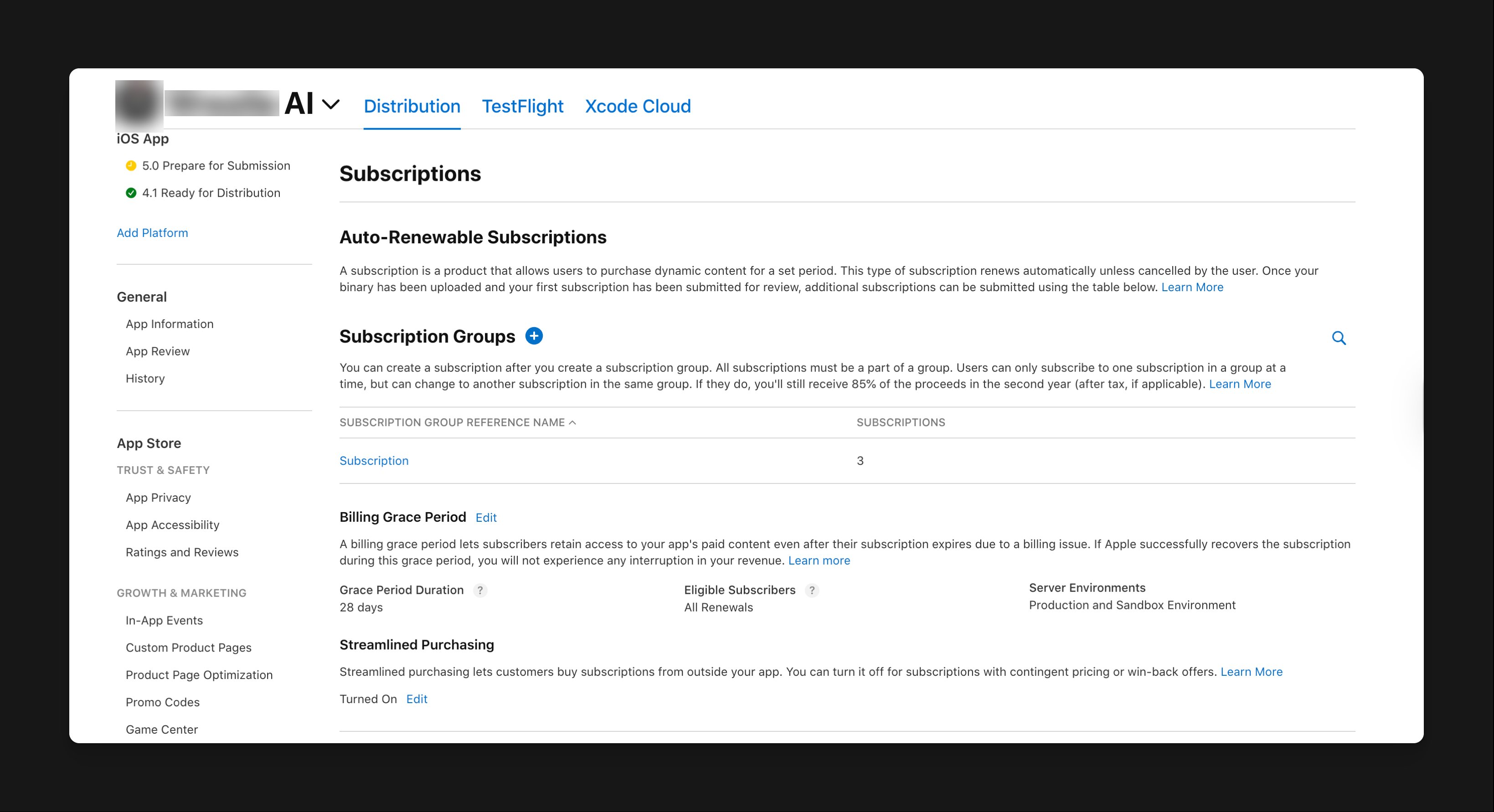
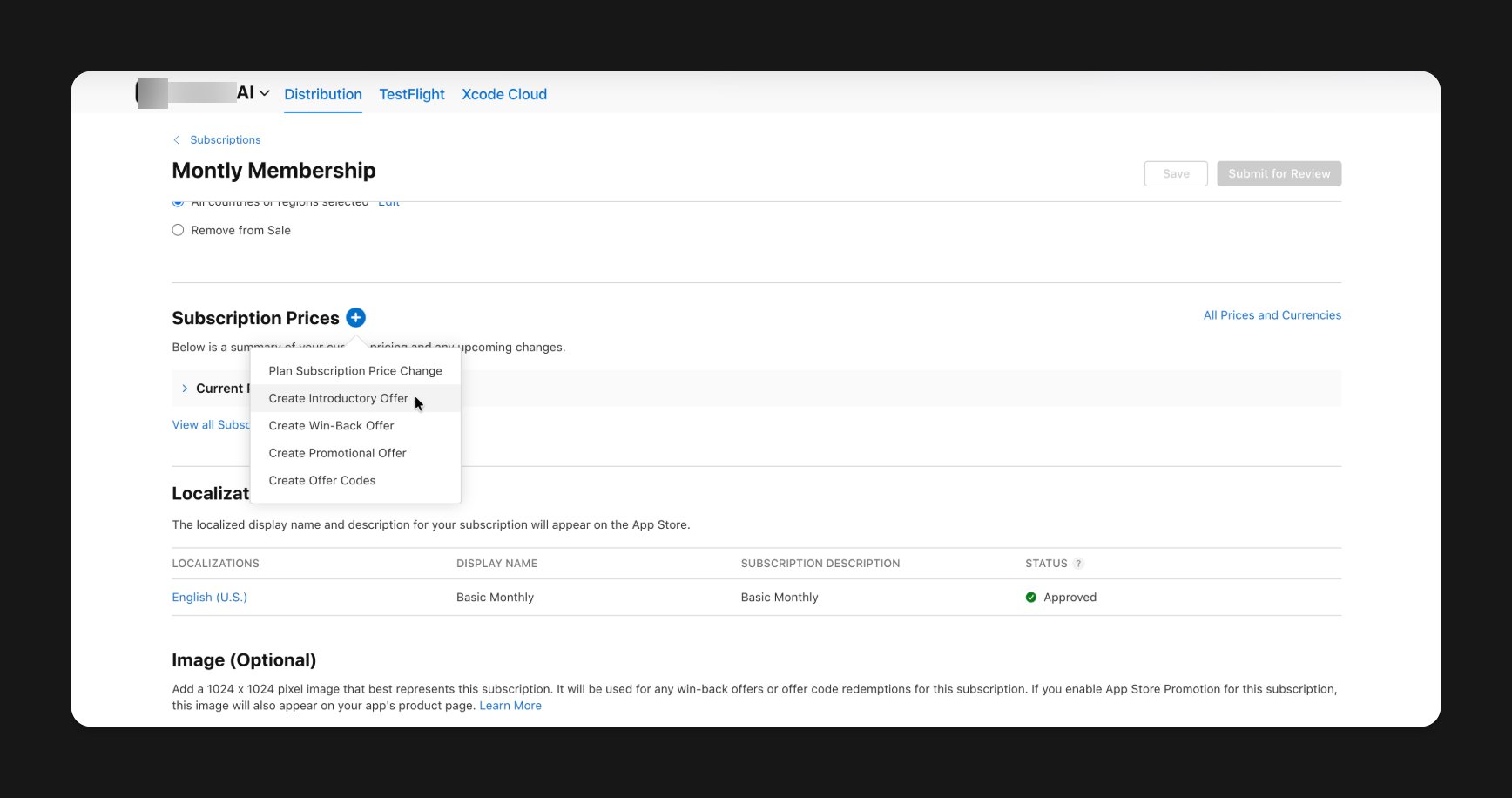
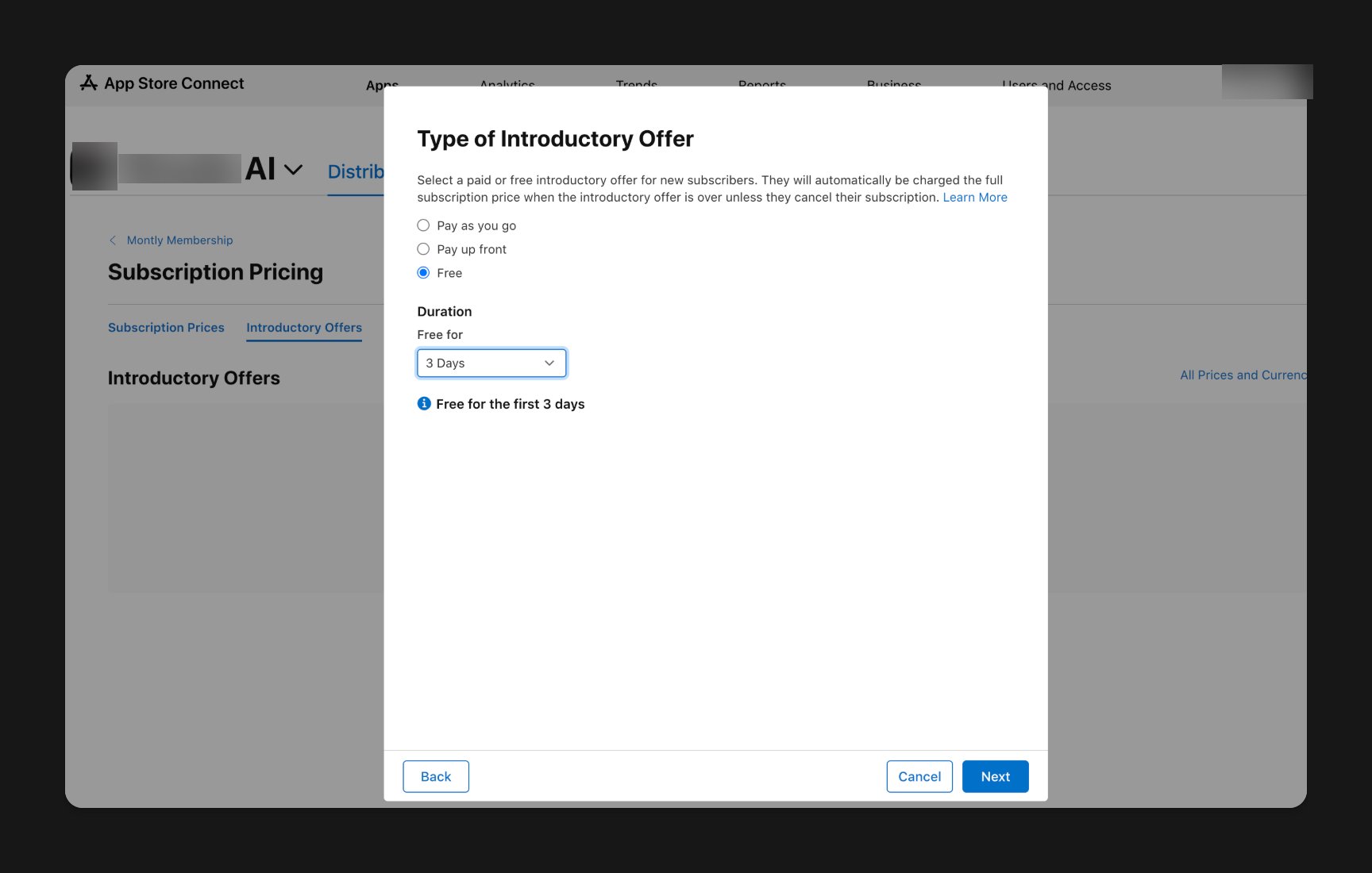
First, open up the subscriptions tab inside your app’s distribution section in App Store Connect and then click on the subscription you want to add a free trial to:After that, click on the plus button to add a new subscription:Click Introductory offer. Then set a duration:After that, click next and confirm. Within the next 20 minutes, your app should be displaying your free trial.
Assistant
Responses are generated using AI and may contain mistakes.