

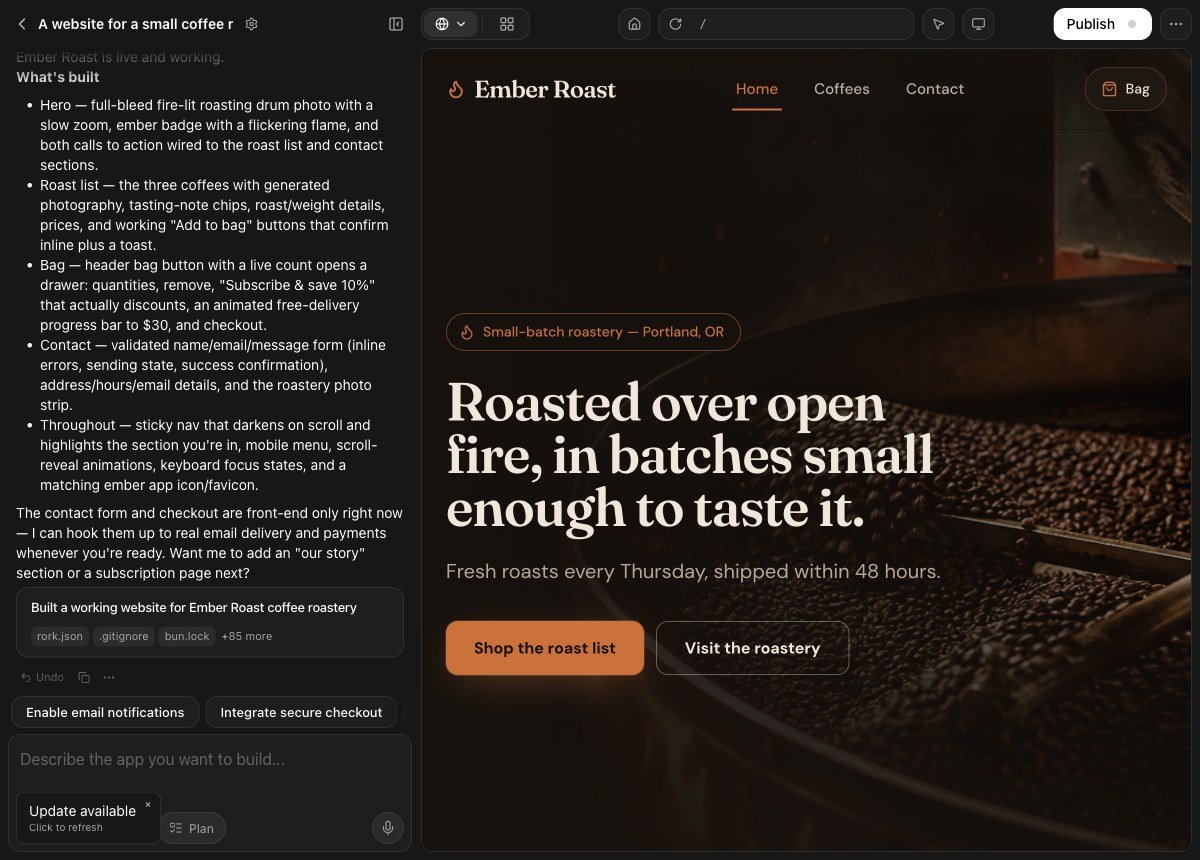
One prompt, one project: the chat on the left, the running site on the right.
A Rork web app runs in the browser. Rork writes it with Vite and React, previews it next to the chat, and publishes it to your own address onrork.app. There is no app store, no review, and no install. You share a link, and people open it on a laptop or on a phone.
Web is the right platform for a website, a dashboard, a client portal, an admin tool, or a SaaS product. It is also the fastest way to put something in front of people today. See what it builds on the Rork Web page.
Start a web app
Pick the platform before you send your first message. On rork.com, open the platform picker under the prompt box and choose For web. Then describe the product, not the technology.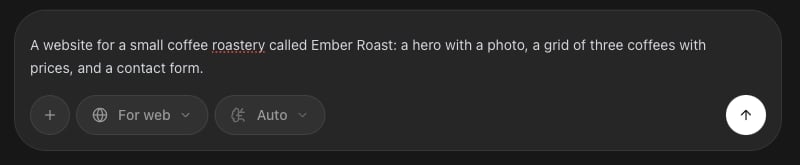
The prompt box with For web selected. The picker also offers For iPhone and For Android.
Answer the questions about the look
Rork does not start writing code straight away. It asks a few short questions about the look first, and each answer is a picture, not a word. You can also type your own answer in Other.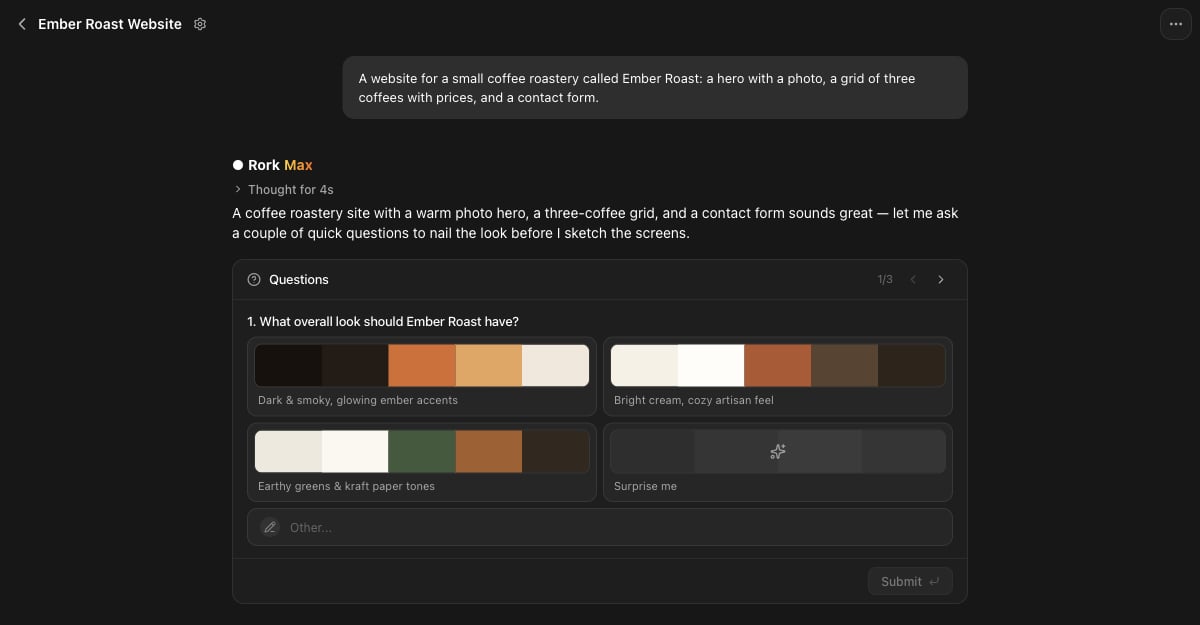
Three questions about the look. Each answer shows the palette it stands for.
Approve the design, then build
Next Rork draws the screens and shows them in Design mode. Nothing is built yet, so this is the cheap moment to change your mind. Ask for a different screen in chat, or press Build to turn the design into a working site. See Design mode.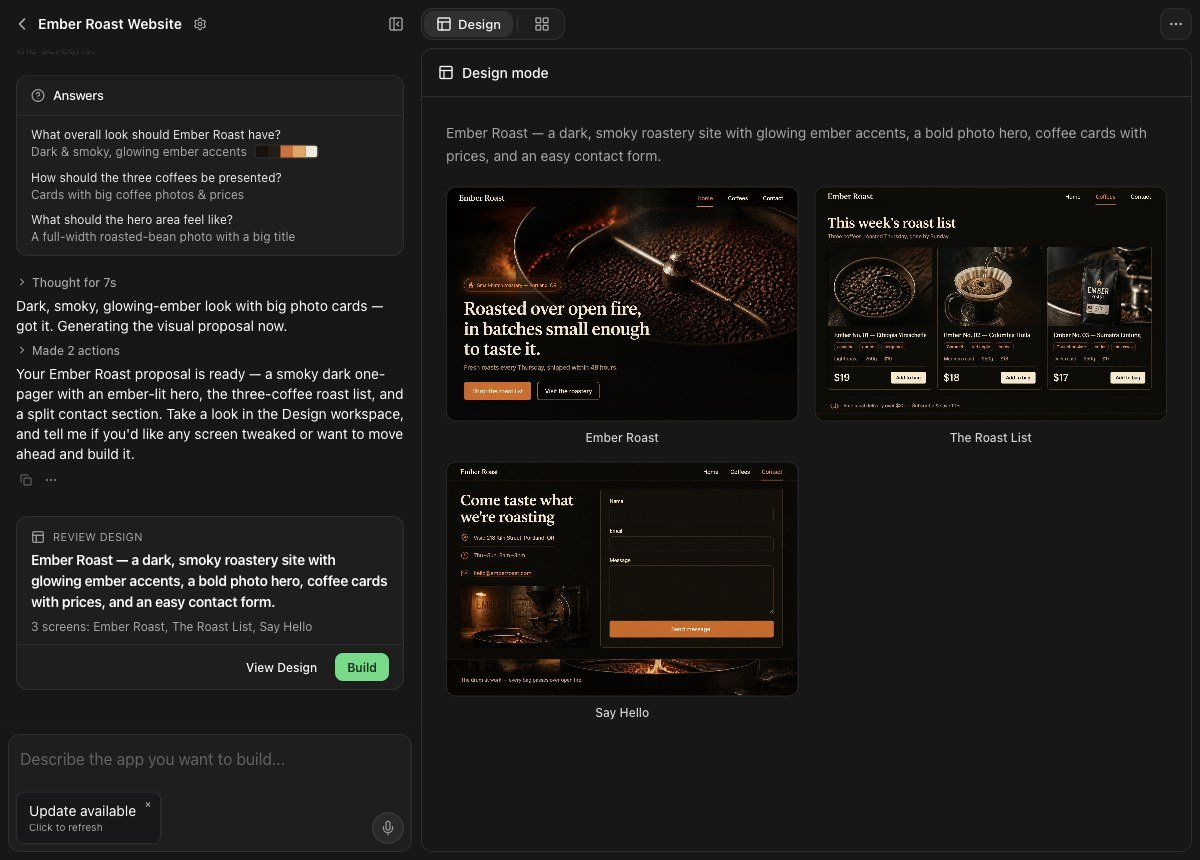
Design mode: the proposed screens on the right, and the Review design card with the Build button on the left.
Work in the project
The project has the chat on the left and a live preview on the right. The preview is the real app, not a picture, so you can click through it while you build. The controls above the preview do this:Check the phone width
A web app has to work in a phone browser as well as on a laptop. Press Switch preview size until it reads Phone. Rork draws the site inside a phone frame, so you read the same pages at the width your visitors get.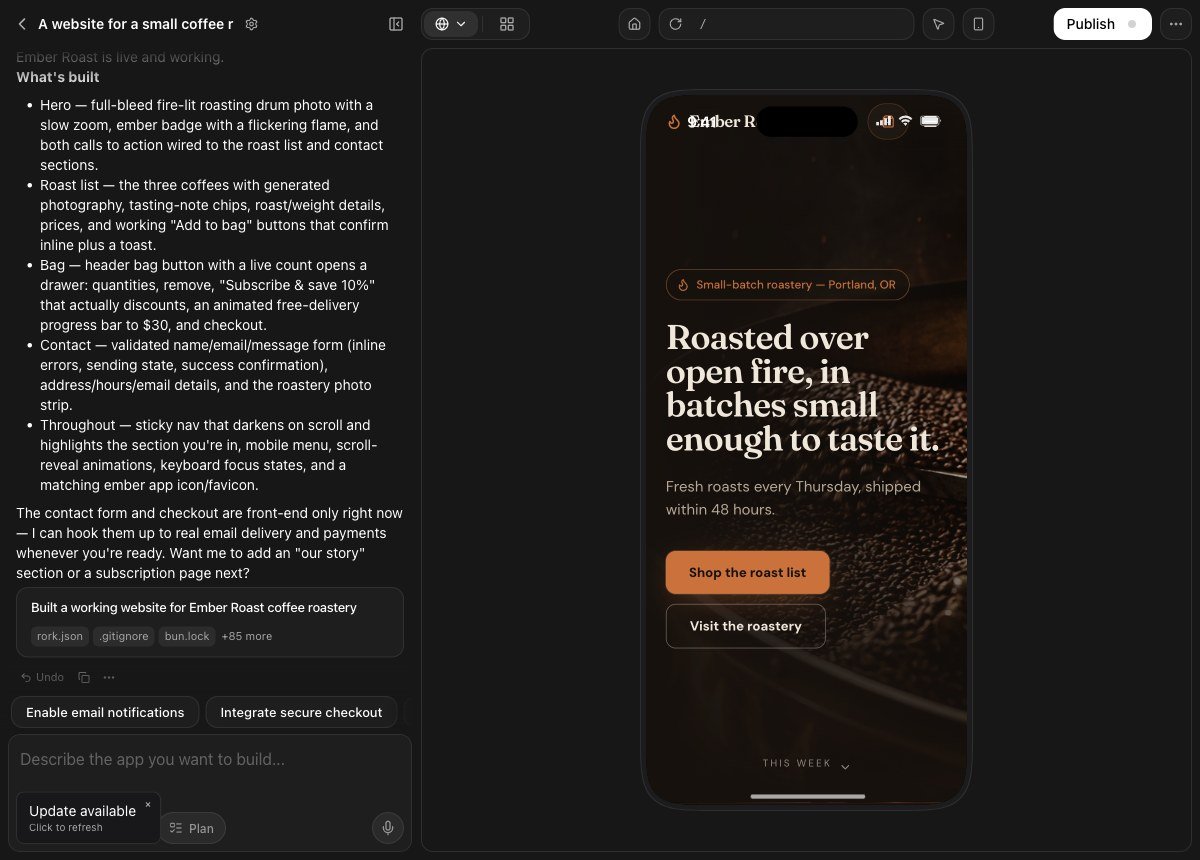
The same site at the Phone preview size.
Publish to the web
Open Publish, then press Publish to web. Rork builds the app and hosts it at your own address onrork.app.
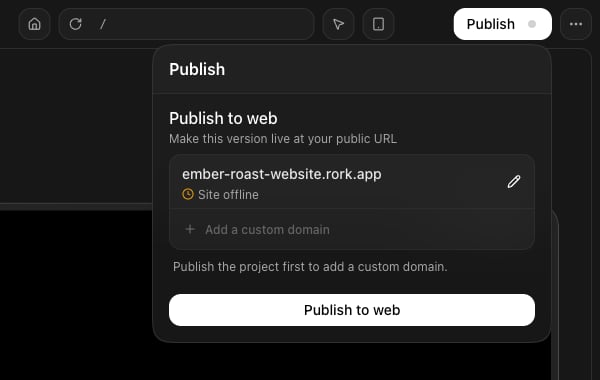
The publish panel before the first publish: the address, the site status, and the custom domain row.
- The address. Rork picks one from the project name, like
ember-roast-website.rork.app. Press the pencil to change the subdomain. - The status. It reads Site offline until you publish for the first time.
- Add a custom domain. This row stays off until the first publish. The panel says so: “Publish the project first to add a custom domain.”
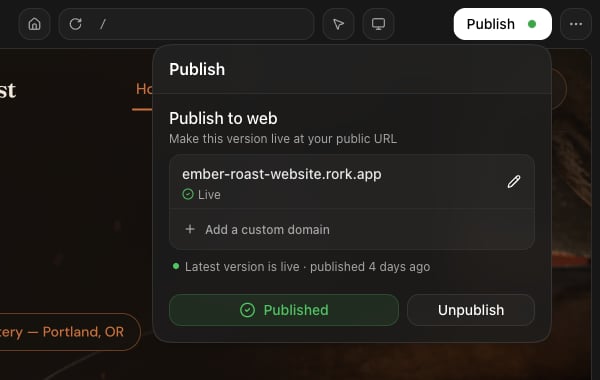
The same panel after publishing. Add a custom domain is now active.
Domains
Arork.app address is fine for testing, but a real product wants a real name. Domains live on your account, and one panel manages them. You reach it from two places:
- Account Settings → Domains, for every domain you own, from any page.
- Publish → Add a custom domain, inside a project. The same panel opens in a dialog called Custom domains, and what you set up there connects to this project on its own.
The domains list
Open the account menu, then Account settings → Domains. Every domain on your account is listed here with each of its addresses underneath.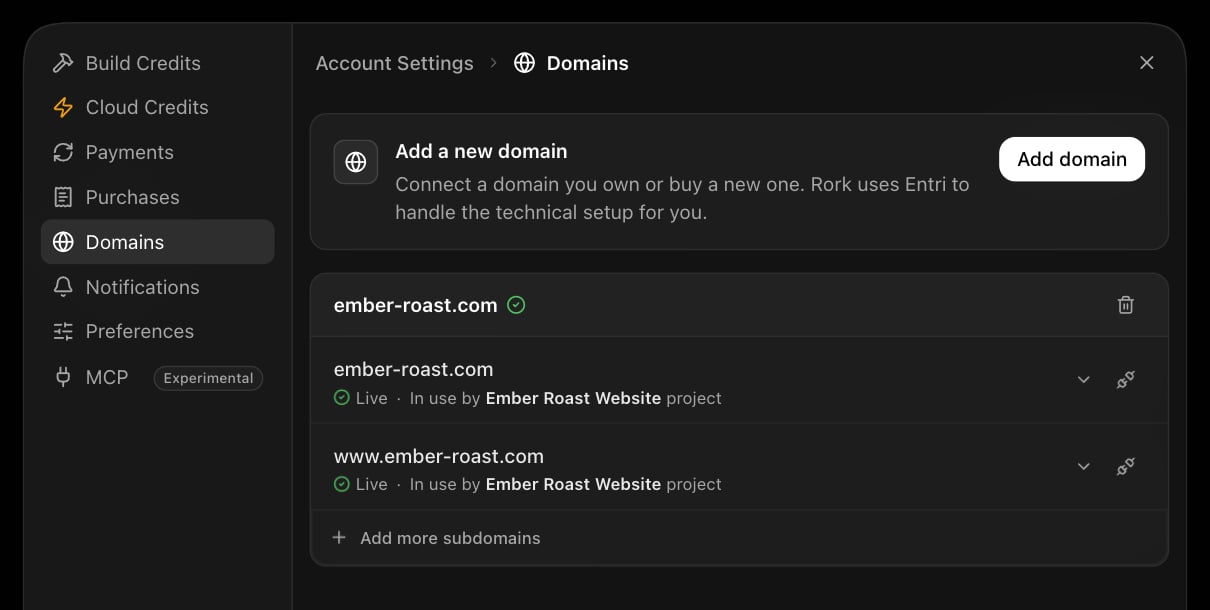
Account Settings, Domains: the Add domain button on top, then each domain with its addresses and their status.
Buy a new domain, or connect one you own
Press Add domain. Rork hands this step to Entri, its domain partner, which does the technical setup for you. The first screen is the fork: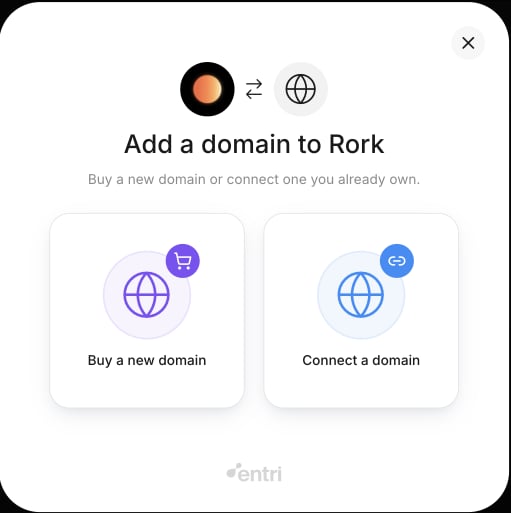
Add a domain to Rork: buy a new one, or connect a domain you already own.
Point a project at an address
The domain is on the account, but no app answers on it yet. That link is made in the project.Publish the project once
Open Add a custom domain
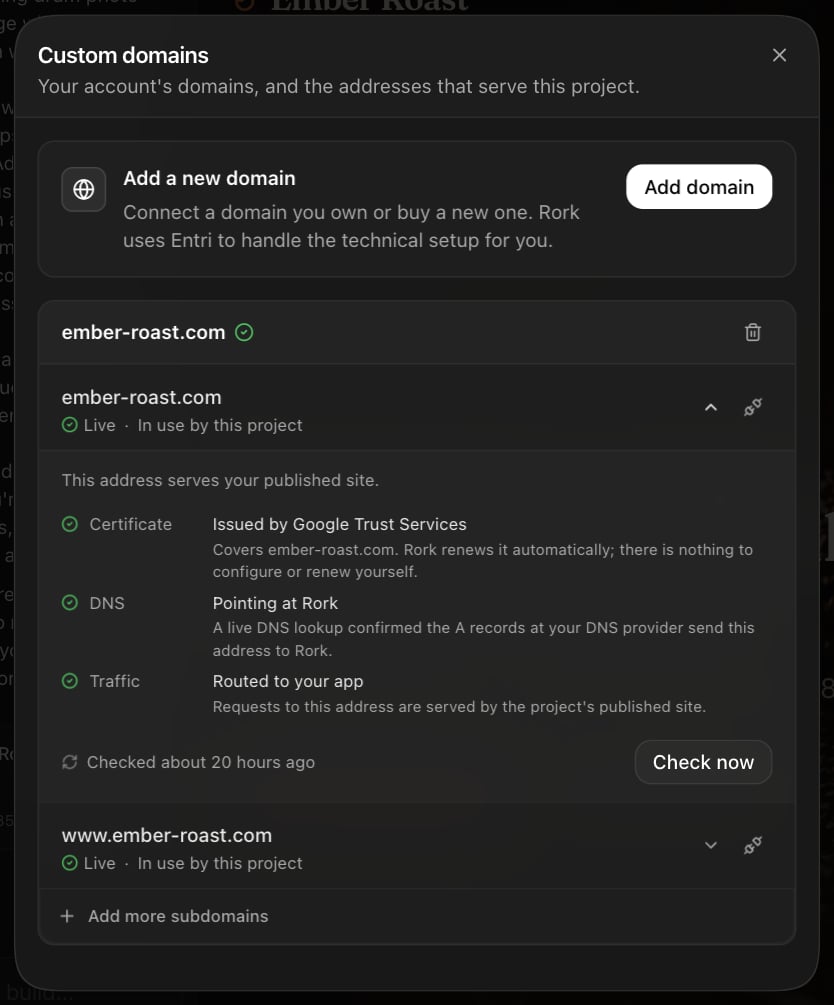
The Custom domains dialog inside a project, with Setup and status unfolded for one address.
Connect an address
- The address is already on your account. Its row reads Available. Press Connect to this project on that row.
- You need a new domain or a new subdomain. Press Add domain, or Add a subdomain on a domain you have. Set up from inside the project, the new address connects on its own. Its row reads Connecting while that happens.
Close the dialog
rork.app row in the Publish panel, with its status underneath. The gear on the row opens its Setup and status, and the last row now reads Add more custom domains.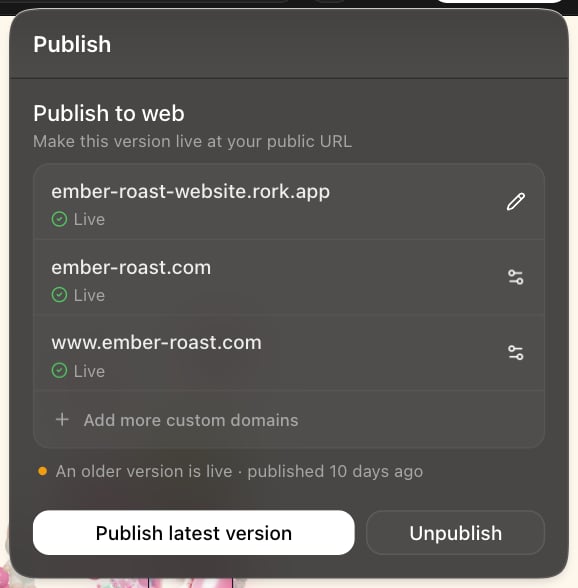
The Publish panel with two custom addresses live. This project also has a newer version waiting to go out.
Add a web app to a project you already have
Watch a finance tracker gain a web version and switch between the web and mobile previews. Any mobile project can grow a web version. Open Project Settings → Add new app → Web, use the platform switcher above the preview, or just ask:What a web app cannot do
A web app runs inside the browser, so the deeply native features are out of reach:- No App Store or Google Play distribution
- No home screen or lock screen widgets, no Live Activities, no Dynamic Island
- No Apple Watch app and no Apple Health integration
- No background tracking, and no advanced motion or body tracking
- Push notifications are limited. On iPhone and iPad the user must add the site to the Home Screen first, on iOS 16.4 or later, and then grant permission
FAQ
What code does Rork write for the web?
What code does Rork write for the web?
Can I skip the questions and the design step?
Can I skip the questions and the design step?
Can a web app have a backend?
Can a web app have a backend?
Can I use my own domain?
Can I use my own domain?
rork.app address first, then see Domains.I have a Lovable project. Do I have to rebuild it?
I have a Lovable project. Do I have to rebuild it?