Build credits and Cloud credits are billed and topped up separately, so it helps to know which one a charge belongs to:
- Build credits pay for building your app inside Rork.
- Cloud credits pay for the AI and cloud features your app uses while it runs, including for your own users once the app is live.
Where to find them
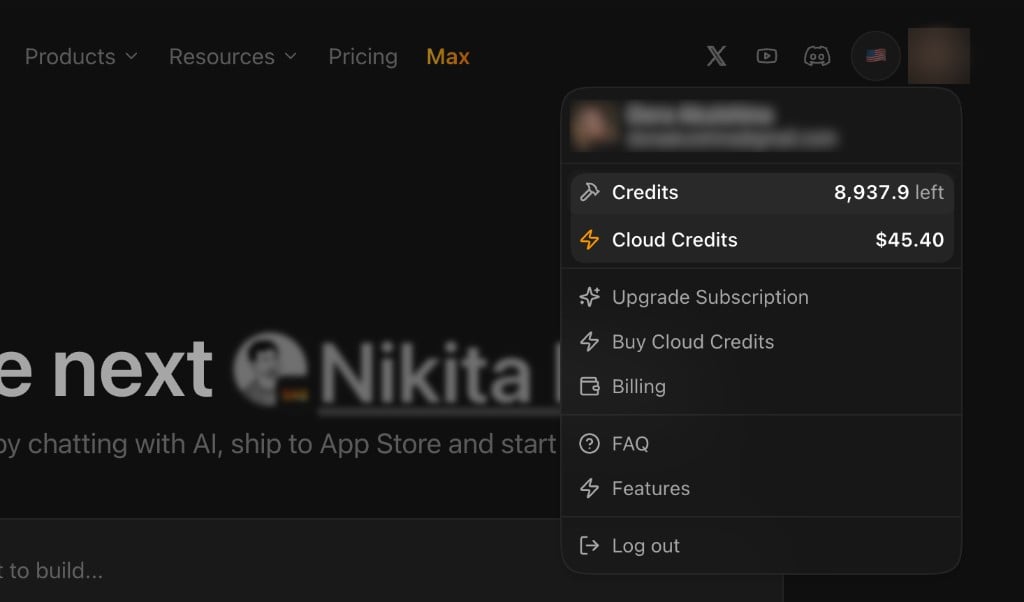
Open the account menu from your avatar in the top-right corner. Both balances are shown there: Credits (your build credits) and Cloud Credits (the dollar balance). The same menu has shortcuts to upgrade your subscription, buy Cloud Credits, and open Billing.
Build credits
Build credits are spent while you create and edit your app in Rork. They cover:
- AI chat messages with the agent.
- Builds and previews started from the editor.
- Asset generation while building (images, audio, 3D, and similar).
- Publishing and platform work.
They are tied to your plan and subscription, so how many you get and how usage is counted depends on your plan. This is the balance that drops as you keep prompting and building.
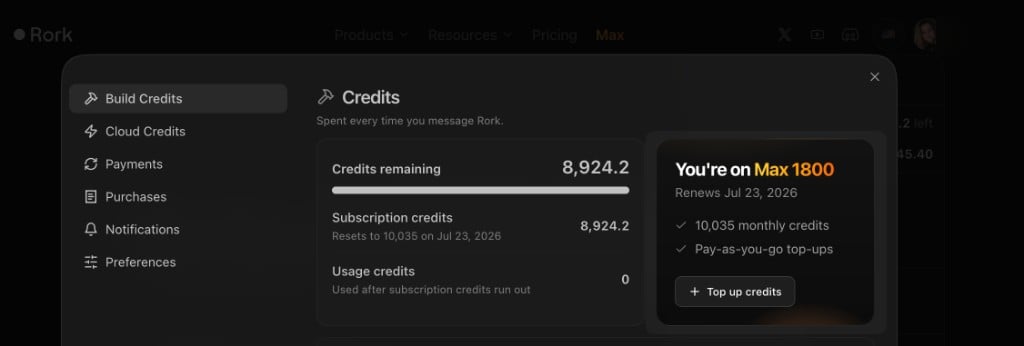
The Build Credits tab in billing shows your remaining balance, subscription versus usage credits, and your current plan, with the option to top up credits as you go:
Cloud credits (Rork AI Cloud)
Cloud credits are a separate balance that your finished app spends at runtime through Rork AI Cloud. They are not part of your plan: you enable Rork AI Cloud for a project, and Rork gives you a one-time $1 in Cloud credits for free so you can try adding AI to your app and run a few tests. The balance is shown in USD, and it drops only when your app actually uses a cloud feature.
Cloud features that draw from this balance include:
- Backend functions.
- AI features like chat, images, and voice.
- Web search.
- Media and 3D generation.
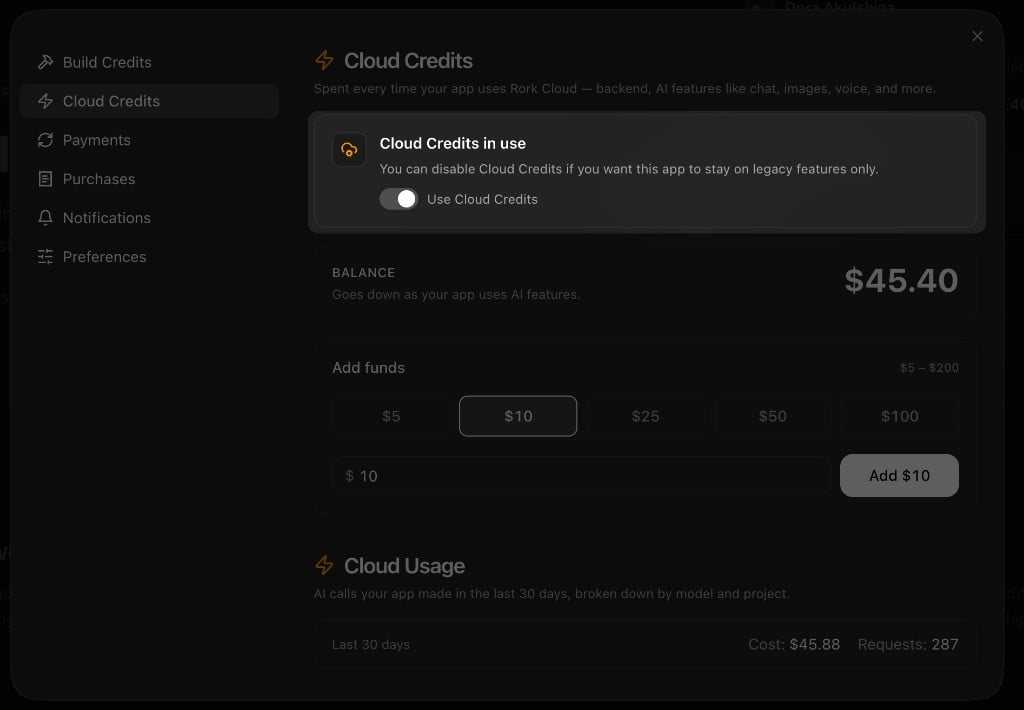
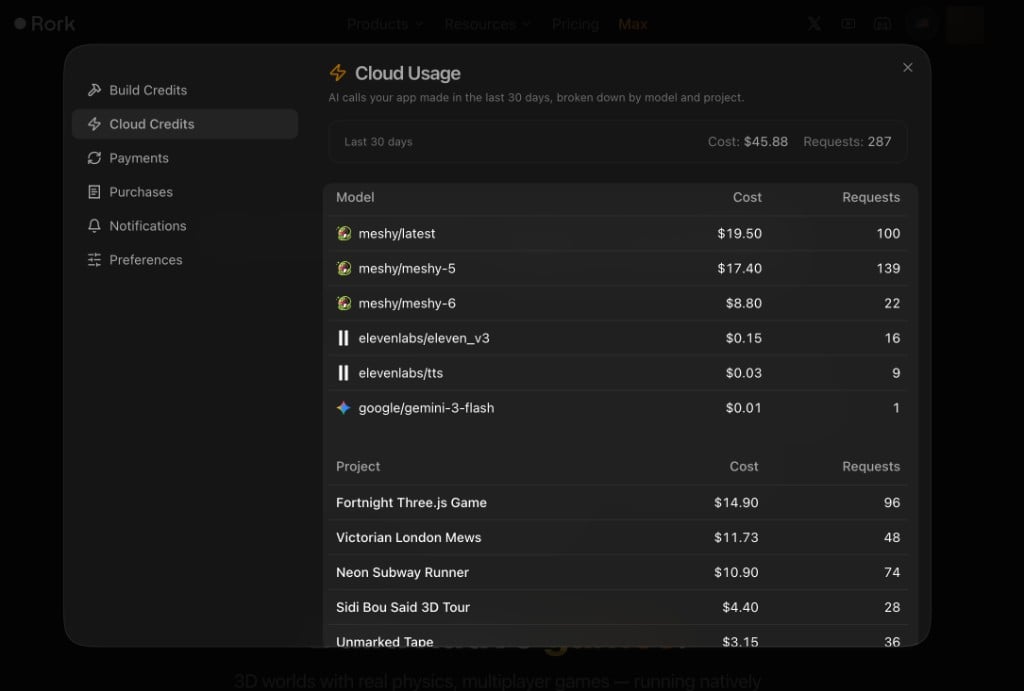
The Cloud Credits tab in billing shows the USD balance and an Add funds section where you top up the balance, from 5to200 at a time. It also has a toggle to use Rork Cloud and a summary of recent cloud usage by your app:
Before relying on AI features, make sure Use Cloud Credits is turned on for the project, like in the panel above. If it is off, the app stays on legacy features only and will not use Rork AI Cloud.
Low balance and top-ups
So your app’s cloud features do not stop mid-use, you can:
- Set a low-balance email alert.
- Turn on auto top-up so the balance refills automatically when it runs low.
Rork may also show a project notification when Cloud credits are running low or run out, with a quick link to add credits.
If a charge looks wrong
First check whether it was build activity (inside the editor) or cloud usage (your running app). Then collect the project link, the approximate time, and the action, and contact support so the usage can be reviewed.
Available AI models
These are the AI models you can use in your app. You don’t have to pick one up front: just tell Rork what you want to build. You can name a specific model, or let the agent choose the best one for the task.
Prices are per 1 million tokens. Image, video, audio, and embedding models are billed differently, so their token prices show as a dash.