> ## Documentation Index
> Fetch the complete documentation index at: https://docs.rork.com/llms.txt
> Use this file to discover all available pages before exploring further.

# How to sync your project with Github

> Full guide on how to connect your Rork project to GitHub for a 2-way sync

export const CtaBanner = () => <div style={{
  display: "flex",
  alignItems: "center",
  justifyContent: "space-between",
  gap: "24px",
  flexWrap: "wrap",
  margin: "40px 0 8px",
  padding: "22px 28px",
  borderRadius: "16px",
  background: "linear-gradient(135deg,rgba(249,115,22,0.10),rgba(255,255,255,0.03),rgba(249,115,22,0.06))",
  border: "1px solid rgba(255,255,255,0.08)"
}}>
    <div>
      <div style={{
  fontSize: "19px",
  fontWeight: 700,
  color: "#fff",
  letterSpacing: "-0.3px",
  lineHeight: 1.3
}}>
        Build your app with Rork today.
      </div>
      <div style={{
  fontSize: "14px",
  color: "rgba(255,255,255,0.6)",
  marginTop: "4px",
  lineHeight: 1.5
}}>
        Ship iOS, Android, and web apps by chatting with AI.
      </div>
    </div>
    <a href="https://rork.com" style={{
  flexShrink: 0,
  display: "inline-block",
  padding: "10px 24px",
  background: "linear-gradient(135deg,#fff,#f0f0f0)",
  color: "#000",
  fontSize: "14px",
  fontWeight: 600,
  borderRadius: "100px",
  textDecoration: "none",
  whiteSpace: "nowrap"
}}>
      Try Rork for Free
    </a>
  </div>;

## Why would you want to enable GitHub sync?

Connect **GitHub** if you want to take your Rork app beyond the Rork editor and into traditional development tools.

### GitHub lets you:

* **Share your project with a developer** for collaboration or customization
* **Open and edit your app in Cursor or any code editor**
* **Run and debug the project in Xcode** for iOS development
* **Make code-level changes** that go beyond prompt-based building

GitHub serves as the bridge between **Rork** and professional development workflows, facilitating seamless handoffs, customization, and native development.

If you’re staying fully inside Rork, GitHub is optional.\
If you want deeper control, collaboration, or native tooling, it’s recommended.

\
Step-by-step guide:

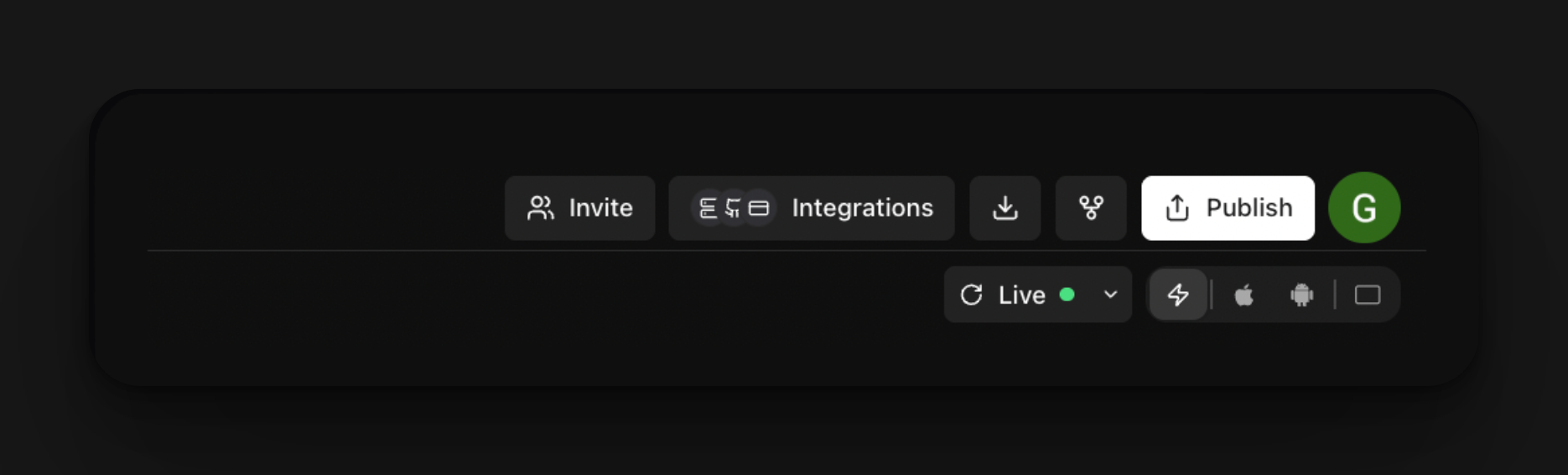
1. Click Integrations

   <img src="https://mintcdn.com/rork/DPzJFF7dKqS_bOmg/images/image-24.png?fit=max&auto=format&n=DPzJFF7dKqS_bOmg&q=85&s=81991729ae9c658dab76ba6f14f3acd5" alt="Image" width="1870" height="566" data-path="images/image-24.png" />
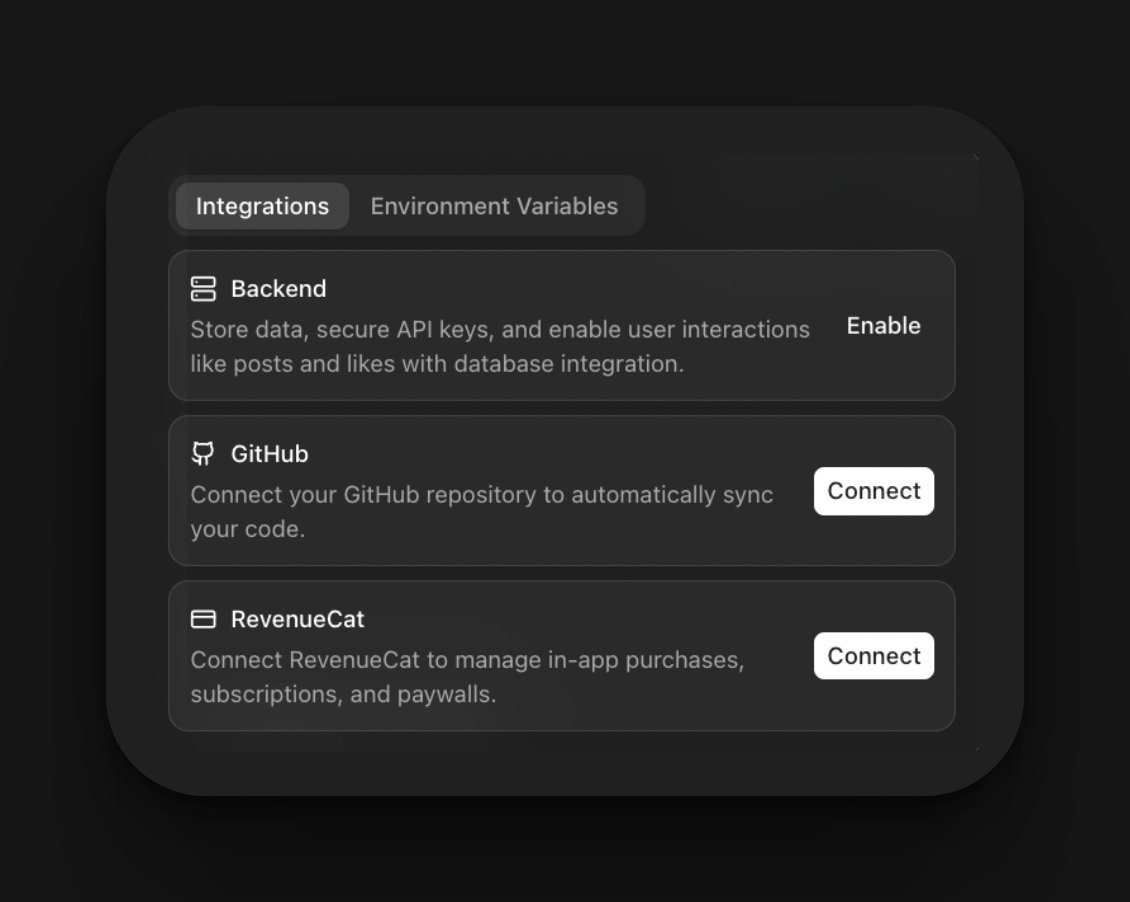
2. Click connect with GitHub

   <img src="https://mintcdn.com/rork/DPzJFF7dKqS_bOmg/images/image-25.png?fit=max&auto=format&n=DPzJFF7dKqS_bOmg&q=85&s=5641d0e7be356ee75bd5c408159eb982" alt="Image" title="Image" style={{ width:"100%" }} width="1130" height="902" data-path="images/image-25.png" />
3. Once GitHub opens, create an account. Then click install and authorize
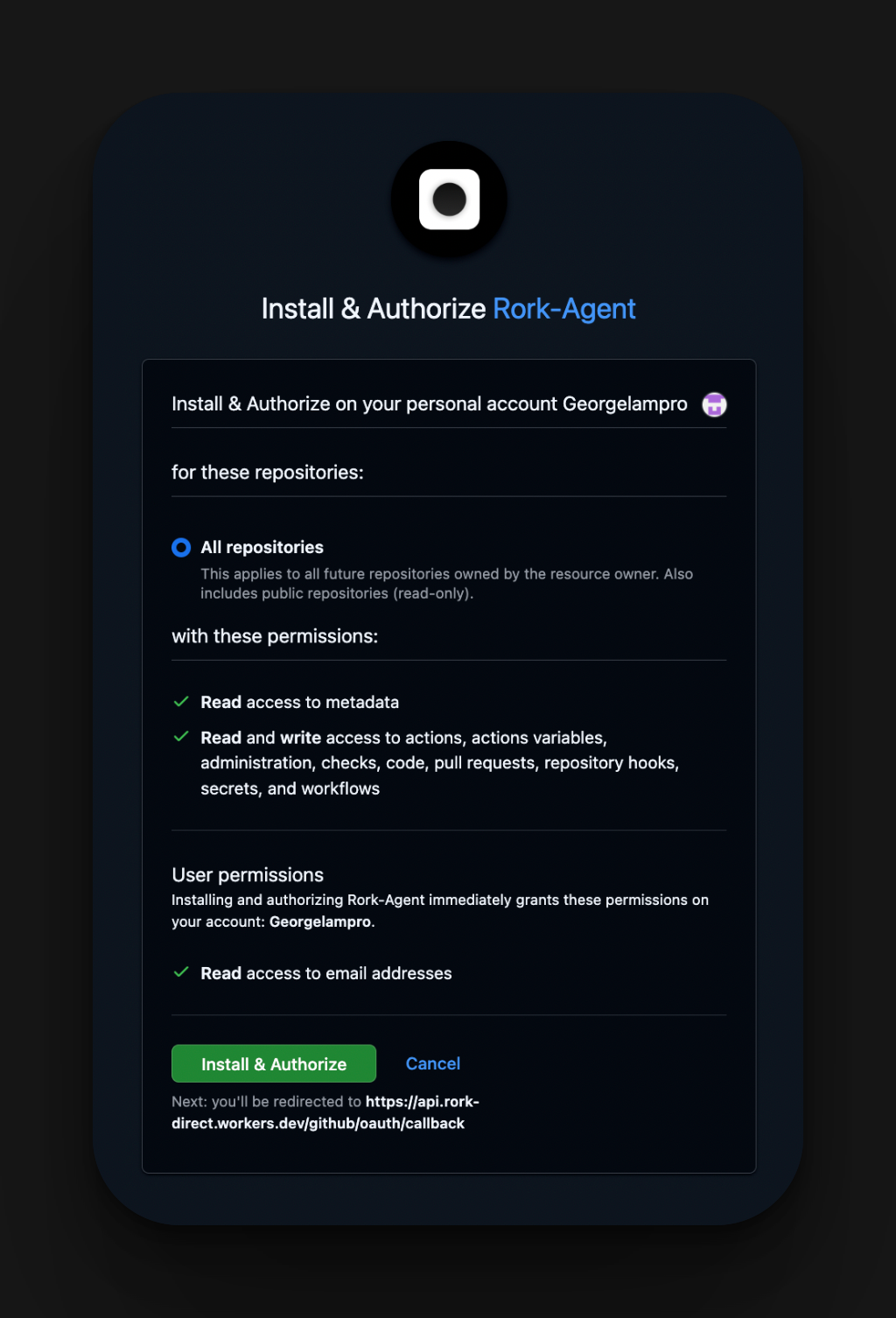
<img src="https://mintcdn.com/rork/DPzJFF7dKqS_bOmg/images/image-26.png?fit=max&auto=format&n=DPzJFF7dKqS_bOmg&q=85&s=927088416d77ade8bdc1eb782463d264" alt="Image" title="Image" className="mx-auto" style={{ width:"100%" }} width="1024" height="1506" data-path="images/image-26.png" />

4. You will get redirected to Rork, and then name your Repository
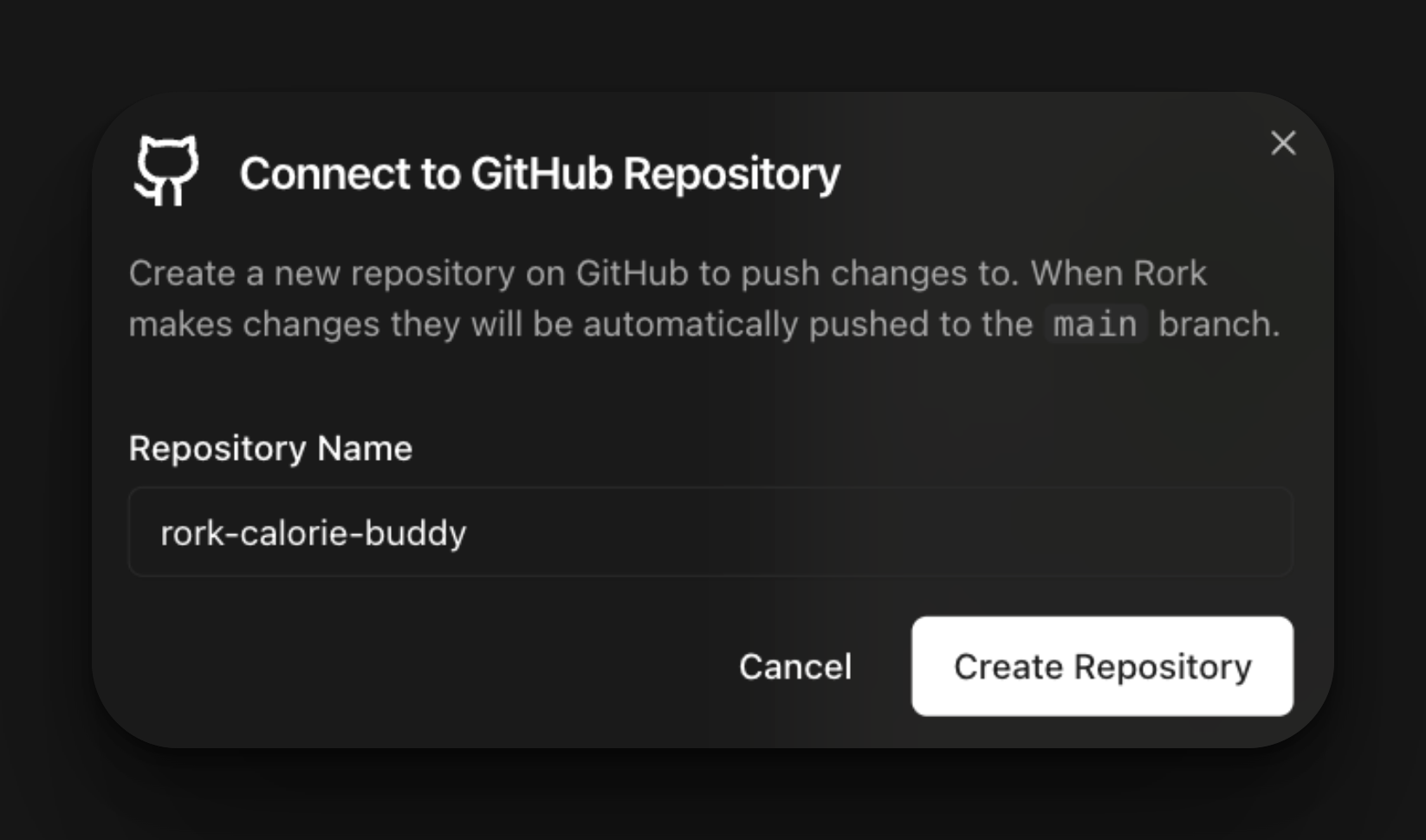
<img src="https://mintcdn.com/rork/ROkdXAZ4RHpdgrDn/images/image-29.png?fit=max&auto=format&n=ROkdXAZ4RHpdgrDn&q=85&s=51ed55bf5f2cb25dbe4c6f8d3e55f6c4" alt="Image" width="1646" height="970" data-path="images/image-29.png" />

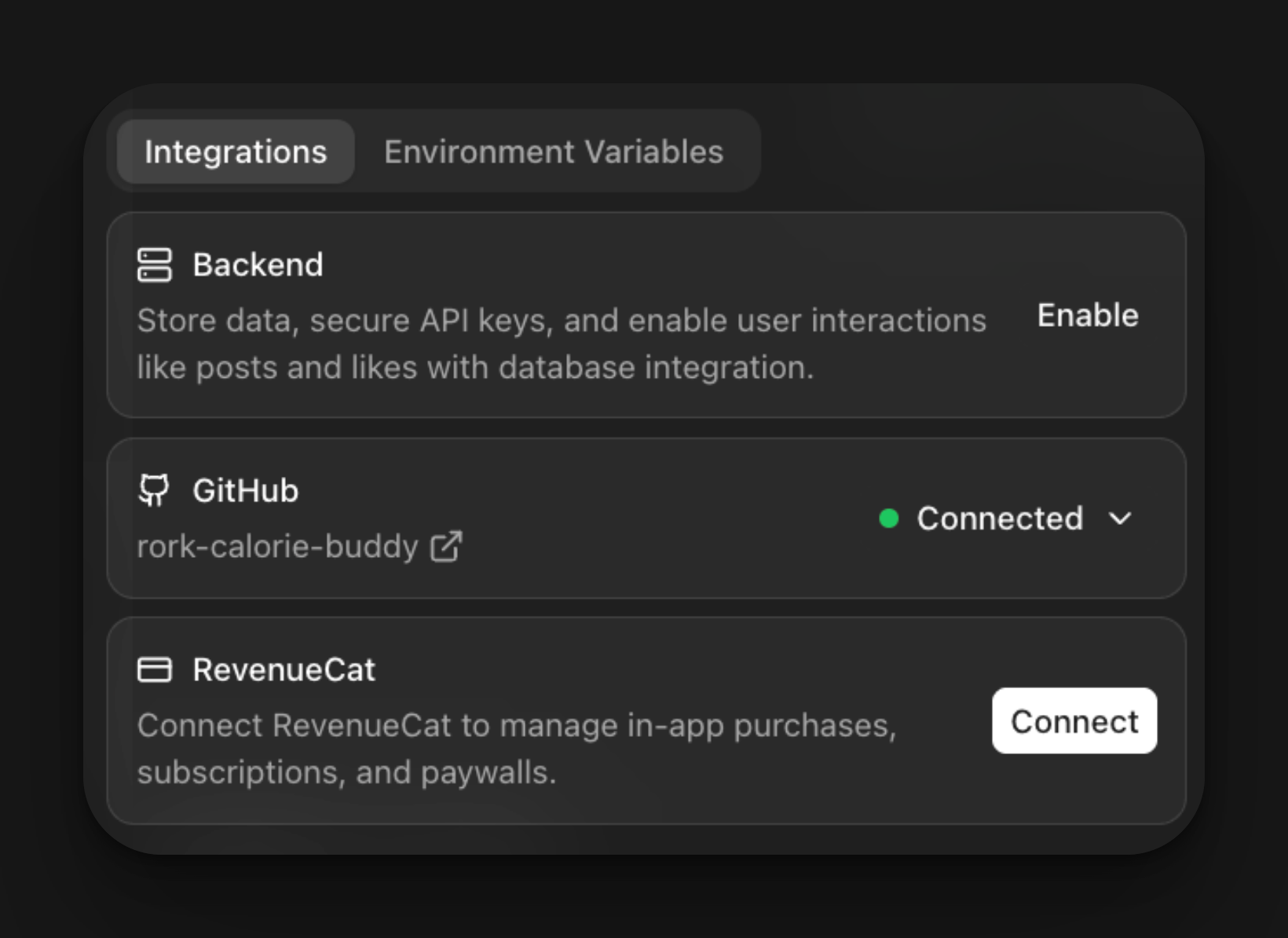
5. Now your project is officially connected to GitHub
<img src="https://mintcdn.com/rork/OtAJ_BCB1Sa1z7b8/images/image-112.png?fit=max&auto=format&n=OtAJ_BCB1Sa1z7b8&q=85&s=4f0240f7d11d214387964de78cfc4be5" alt="Image" width="1640" height="1194" data-path="images/image-112.png" />

## What You Can Do Now

With GitHub connected, your Rork project is no longer limited to the Rork editor. You can now:

* **Hand your project to a developer**\
  Share the repository so a developer can clone, edit, and push changes.
* **Open the project in Cursor or a code editor**\
  Inspect and modify the generated code using Cursor, VS Code, or any IDE.
* **Run and debug the app in Xcode**\
  Build locally, test on real devices, and use Apple’s native debugging tools.
* **Customize beyond prompts**\
  Make precise code-level changes, add native features, or fine-tune performance.
* **Work in parallel with Rork**\
  Continue building in Rork while edits are made through GitHub.

This integration enables you to transition smoothly from **prompt-based building to full code control**, whenever you’re ready.

<CtaBanner />