> ## Documentation Index
> Fetch the complete documentation index at: https://docs.rork.com/llms.txt
> Use this file to discover all available pages before exploring further.

# App Store Checklist

> Now that your app is complete here's everything you have to do to make sure your app is App Store ready!

export const CtaBanner = () => <div style={{
  display: "flex",
  alignItems: "center",
  justifyContent: "space-between",
  gap: "24px",
  flexWrap: "wrap",
  margin: "40px 0 8px",
  padding: "22px 28px",
  borderRadius: "16px",
  background: "linear-gradient(135deg,rgba(249,115,22,0.10),rgba(255,255,255,0.03),rgba(249,115,22,0.06))",
  border: "1px solid rgba(255,255,255,0.08)"
}}>
    <div>
      <div style={{
  fontSize: "19px",
  fontWeight: 700,
  color: "#fff",
  letterSpacing: "-0.3px",
  lineHeight: 1.3
}}>
        Build your app with Rork today.
      </div>
      <div style={{
  fontSize: "14px",
  color: "rgba(255,255,255,0.6)",
  marginTop: "4px",
  lineHeight: 1.5
}}>
        Ship iOS, Android, and web apps by chatting with AI.
      </div>
    </div>
    <a href="https://rork.com" style={{
  flexShrink: 0,
  display: "inline-block",
  padding: "10px 24px",
  background: "linear-gradient(135deg,#fff,#f0f0f0)",
  color: "#000",
  fontSize: "14px",
  fontWeight: 600,
  borderRadius: "100px",
  textDecoration: "none",
  whiteSpace: "nowrap"
}}>
      Try Rork for Free
    </a>
  </div>;

## Test your app

This should seem obvious, but most issues can be avoided by testing your app thoroughly for at least an hour before pushing it to review.

## Create the necessary policies and link them to your app

* Create:
  * Privacy policy
  * Terms and Conditions
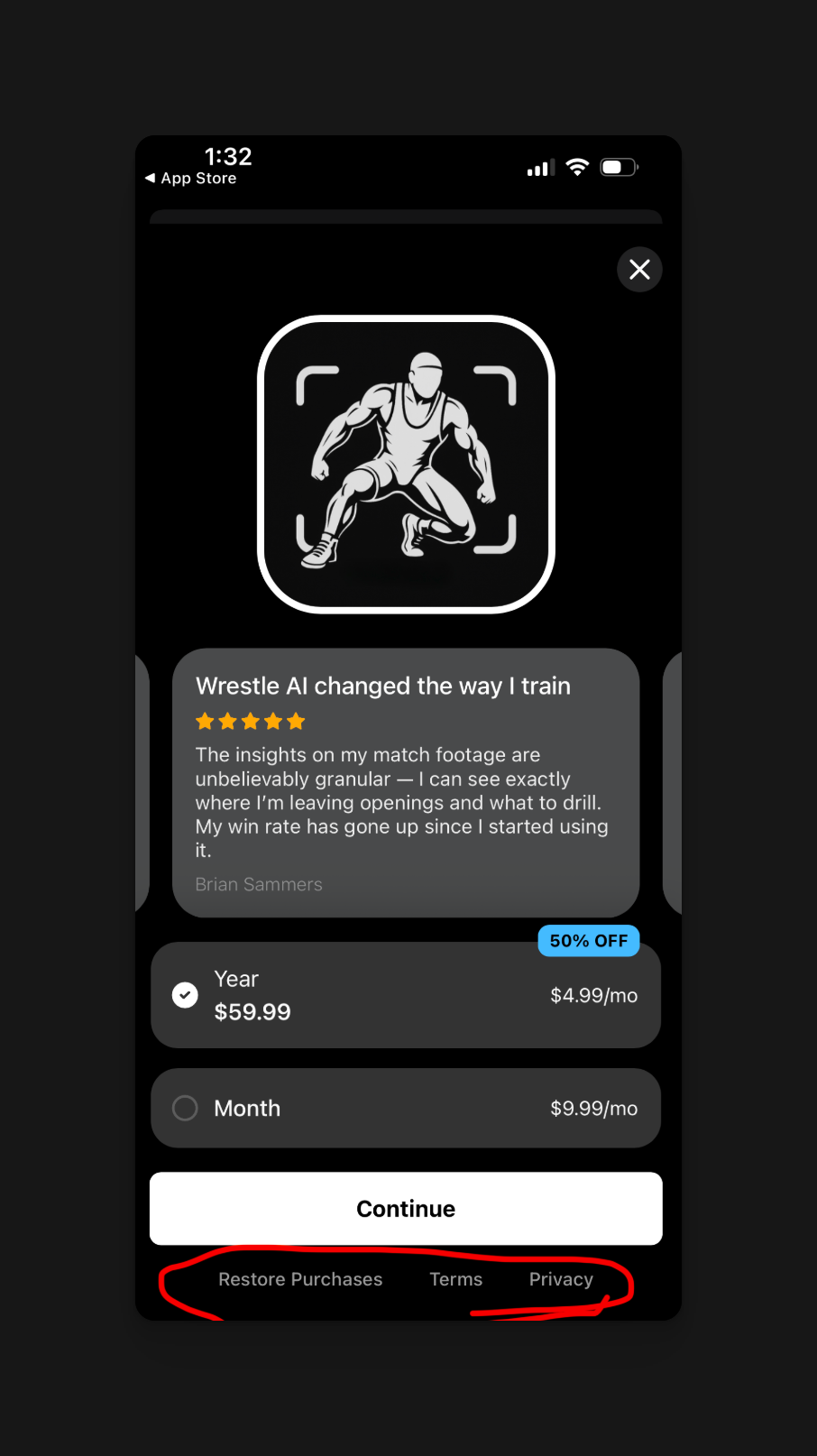
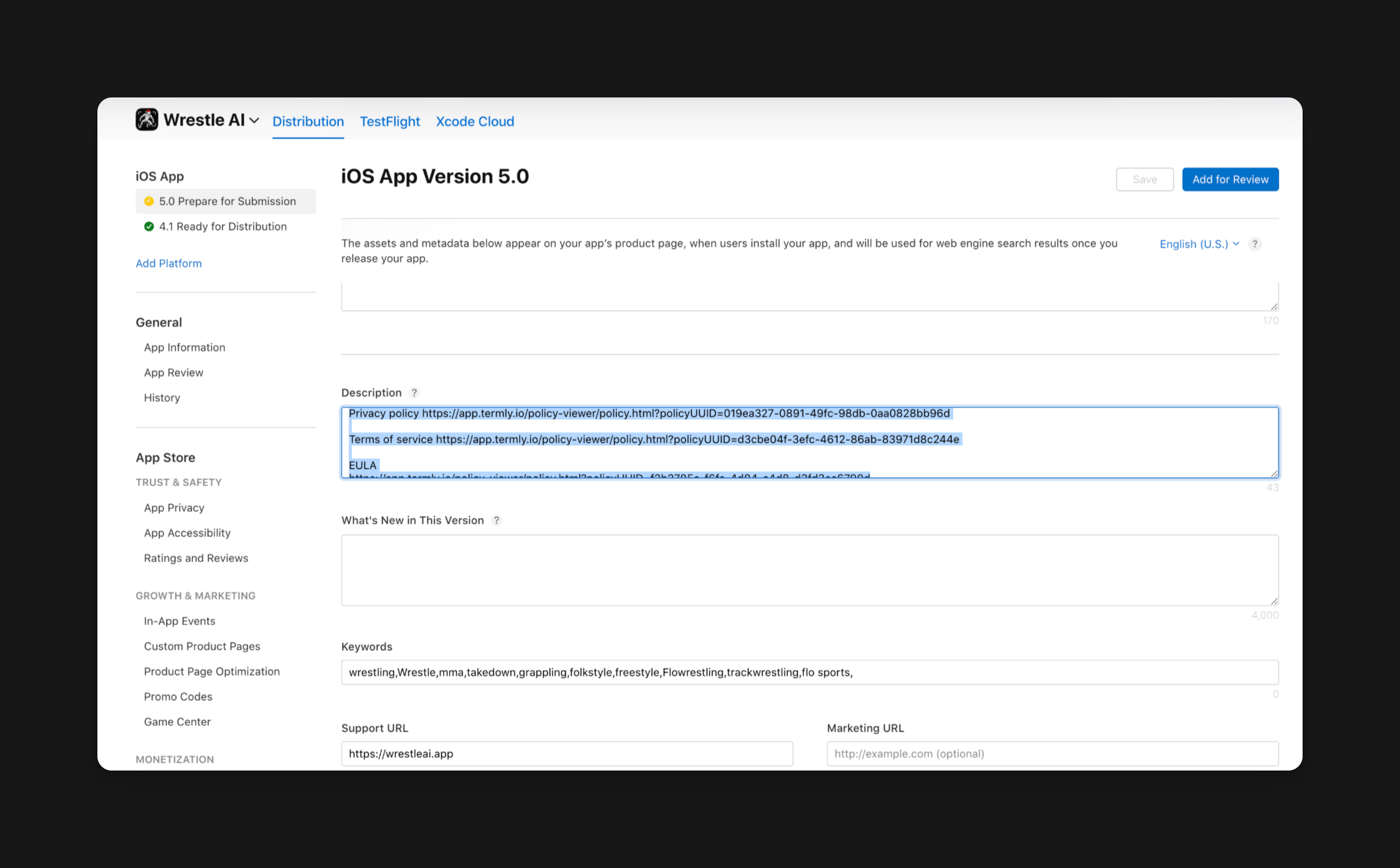
  * Get the Apple standard EULA by looking up "Apple standard EULA" on Google, and then get that link for your EULA.
* Take these links and prompt Rork to add them to the paywall
* Add these links to the App Store description as well

<img src="https://mintcdn.com/rork/QipBUL4hQnTtAFe_/images/image-81.png?fit=max&auto=format&n=QipBUL4hQnTtAFe_&q=85&s=5d969da1fad710110a642602a63b1c28" alt="Image" width="906" height="1614" data-path="images/image-81.png" />

<img src="https://mintcdn.com/rork/QipBUL4hQnTtAFe_/images/image-82.png?fit=max&auto=format&n=QipBUL4hQnTtAFe_&q=85&s=6b12b42595ceec37ff2e6ba2bc13d94c" alt="Image" width="2156" height="1336" data-path="images/image-82.png" />

Doing both of these actions will prevent future App Store rejections.

## Be transparent with your app's pricing

If you have a paywall inside your app, you must include that fact in your App Store descriptions.
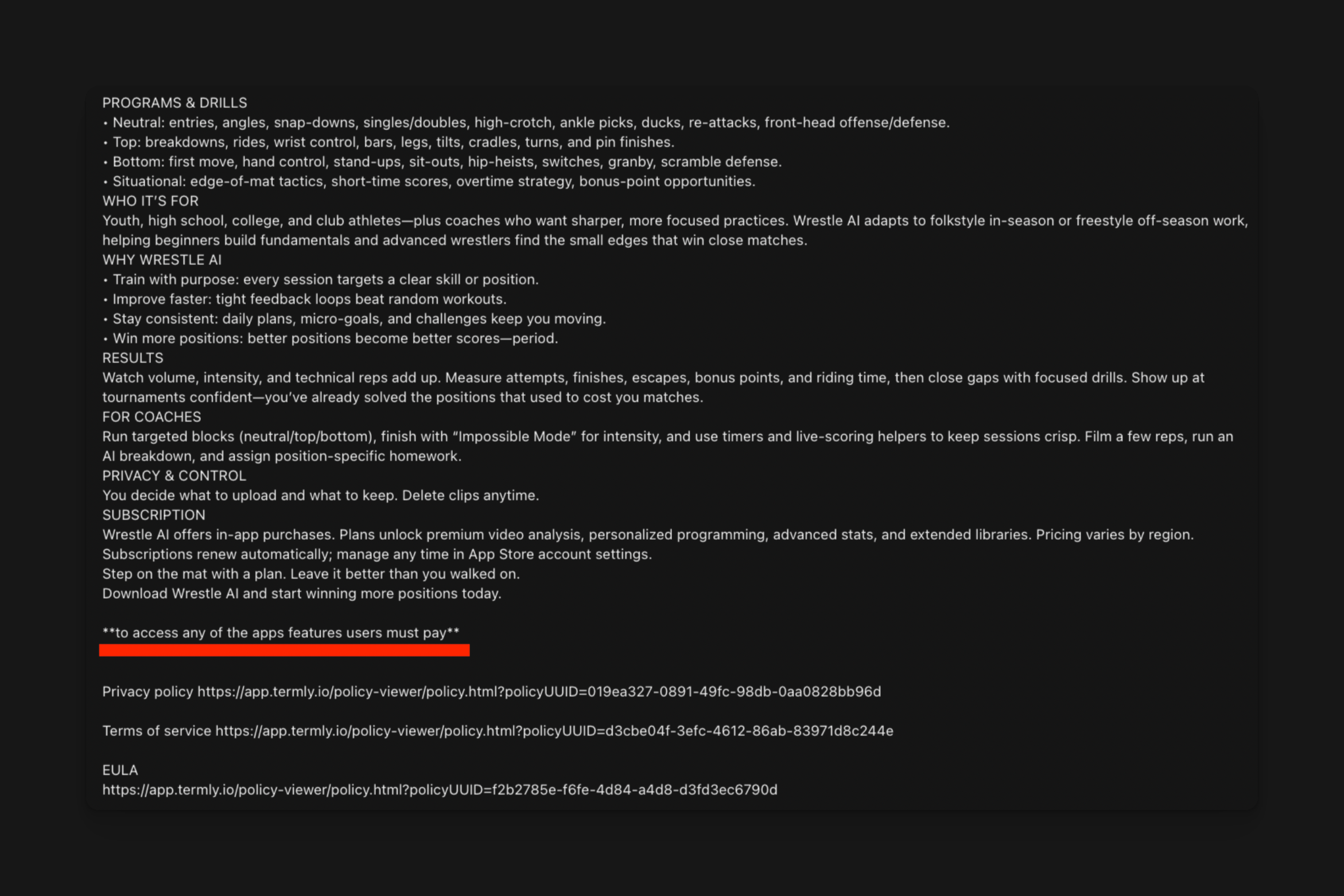
<img src="https://mintcdn.com/rork/QipBUL4hQnTtAFe_/images/image-83.png?fit=max&auto=format&n=QipBUL4hQnTtAFe_&q=85&s=1dbba9af29aecbc6564cf70c73f66014" alt="Image" width="2342" height="1562" data-path="images/image-83.png" />

## Review your app.json (expo)

<Danger>
  Example of an app.json file that would be rejected
</Danger>

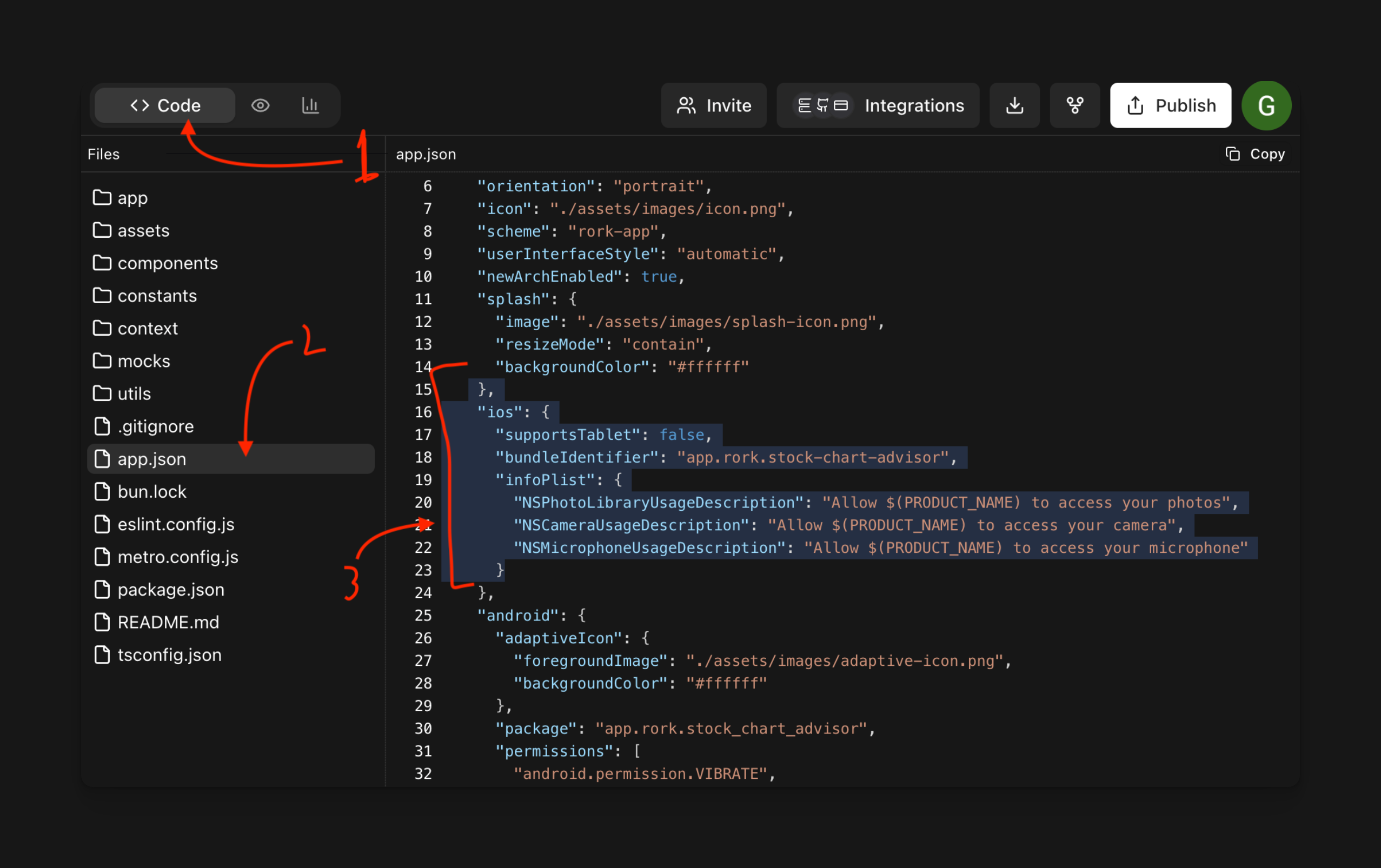
<img src="https://mintcdn.com/rork/QipBUL4hQnTtAFe_/images/image-84.png?fit=max&auto=format&n=QipBUL4hQnTtAFe_&q=85&s=91a7b70dab85d6f14dd0f81101935130" alt="Image" width="2554" height="1606" data-path="images/image-84.png" />

* Click code
* Click app.json
* Look for info.plist

After that, look at the descriptions of the permission requests. Make sure they properly explain each reason for each permission on why your app needs that permission.
<Check>
  Example of an app.json file that would be accepted!
</Check>

<img src="https://mintcdn.com/rork/XAd9xDfEL-Qsssvv/images/image-86.png?fit=max&auto=format&n=XAd9xDfEL-Qsssvv&q=85&s=74058e1d8265f00123f717788c13d756" alt="Image" width="1716" height="782" data-path="images/image-86.png" />

## Create App Store Screenshots

Create 3-10 screenshots accurately showcasing the functionality of the app. Do NOT stretch iPhone screenshots for iPad screenshots, Apple will reject you!

[***You can find more information on this here!***](appstore-screenshots/app-store-screenshots)

## **Create a Support URL**

For this, you need your own site displaying a contact page. You can use Google Sites, any website maker, or Termly.

Make sure all of this stuff is done before submitting to the App Store, to get approved by Apple more quickly.

<CtaBanner />