> ## Documentation Index
> Fetch the complete documentation index at: https://docs.rork.com/llms.txt
> Use this file to discover all available pages before exploring further.
# NanoBanana AI Image App Tutorial
> Build a custom AI image app that uses Google's popular NanoBanana API.
export const CtaBanner = () =>
Build your app with Rork today.
Ship iOS, Android, and web apps by chatting with AI.
;
# Build a NanoBanana AI Image App
> Create a powerful **Rork** from scratch with this nano banana AI image app. This shouldn't take more than 10 minutes to get to a solid version.
## Create your Rork app
⏰ *Estimated time: 10 minute*
Follow the steps in this guide to create an AI Image NanoBanana app that uses natural language to let you edit images.
Every viral and successful AI image editing app in the App Store market focuses on a popular niche that a lot of people want to see themselves as. For example
* *Celebs Style*: Take a selfie with any Celebrity now
* *Playing Cards Style*: Turn your pictures into playing cards
* *Polaroid Style*: Turn your photos into realistic looking polaroids
Choosing a style is the first step in creating this app because it will prompt our initial message to Rork. The simpler and quicker it is to explain what the style is to others, the better it will be.
For our app, we will be building a graduation photos app. Perfect for college kids who are about to graduate from their schools.
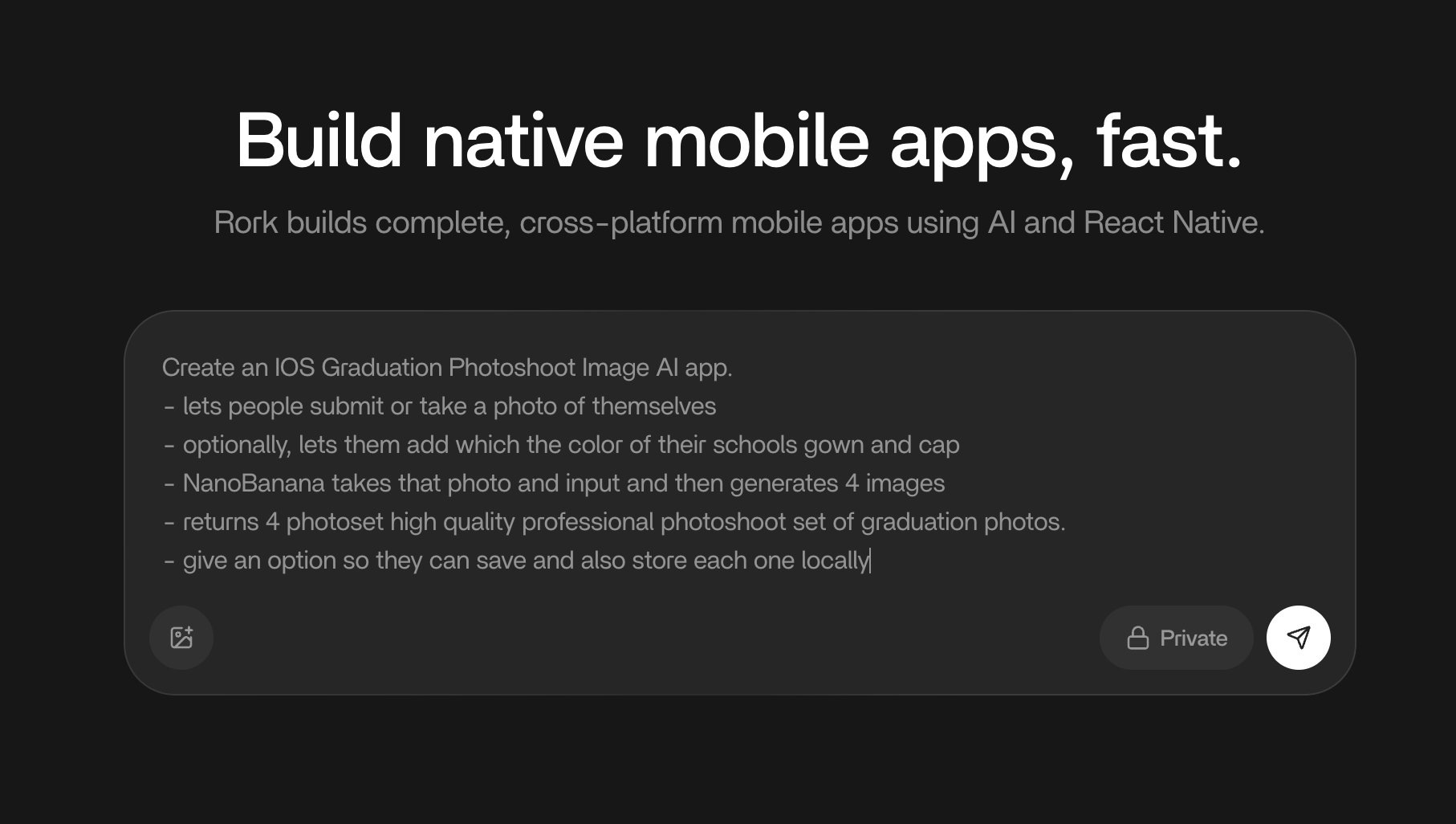
Open the [Home Page](https://rork.com/) and enter the following prompt:
> Create an IOS Graduation Photoshoot Image AI app.
>
> * lets people submit or take a photo of themselves
> * optionally, lets them add which the color of their schools gown and cap
> * NanoBanana takes that photo and input and then generates 4 images
> * returns 4 photoset high quality professional photoshoot set of graduation photos.
> * give an option so they can save and also store each one locally
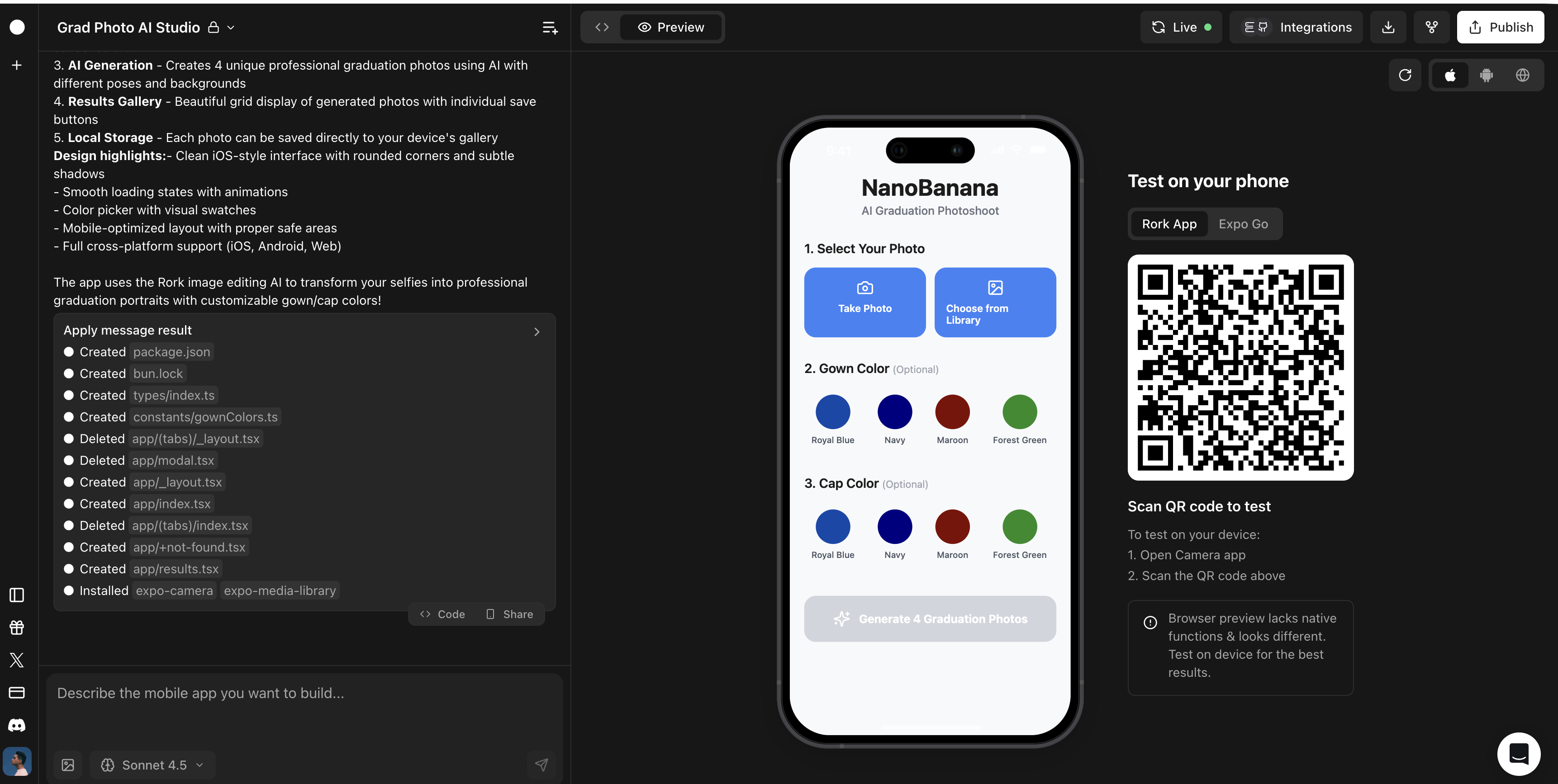
Instantly, **Rork** handles all the design and development and will start building your app. You can test the app directly on your phone using the Rork app or Expo Go. Just scan the QR code to get it opened on your phone. The app wont fully load until it's finished developing. This should take just a few minutes depending on the complexity of your application.
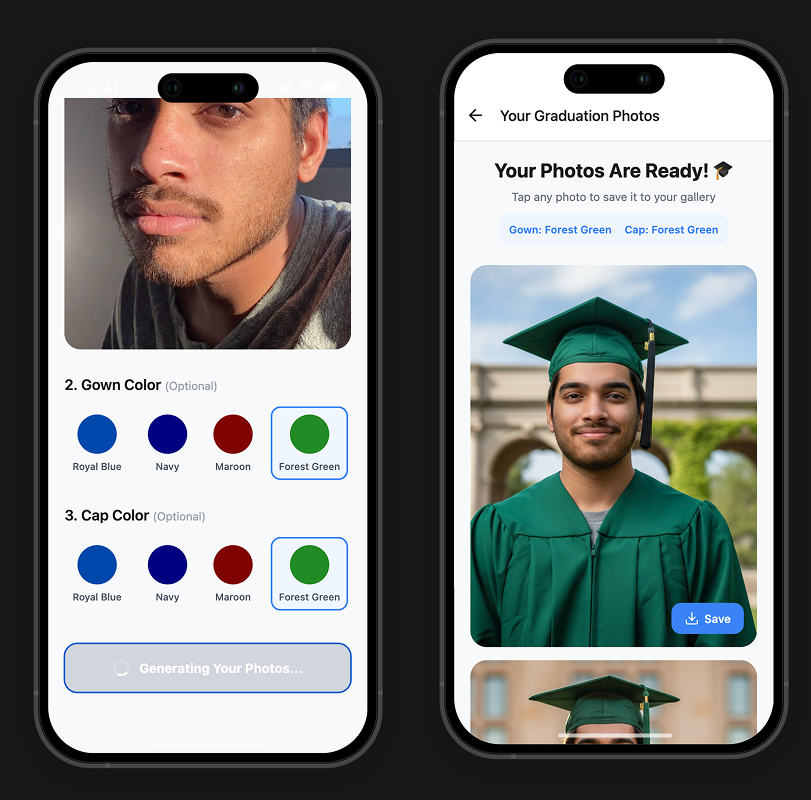
Once finished, you should see a beautiful simple graduation photoshoot AI image app with an easy to use flow. Try it out and make sure it works. Rork automatically connects your app to the top LLMs like ChatGPT, NanoBanana, and more when you build inside Rork.
## Things to Try
* Take a selfie and then choose your cap and gown color
* Try a wacky combination of two different colors
* Save your photos to your phone and make sure thats working
In just one prompt we got an awesome app that generates graduation photoshoots!
## Additional Features
The beauty of Rork is being able to iterate on your apps beyond their initial prototype. You can build full production apps inside of Rork. Here are some additional features you can add to your app.
Our initial app only gave us 4 color options to choose from, but some schools may be a completely different color, or maybe, a user wants a really specific color. So, lets add a custom color picker.
**Here is the custom color picker prompt:**
> Please add a custom color picker beyond the 4 options that lets user enter hex or choose from a color picking component.