 ## Start a game
The prompt box on [rork.com](https://rork.com) has two shortcuts for games.
## Start a game
The prompt box on [rork.com](https://rork.com) has two shortcuts for games.
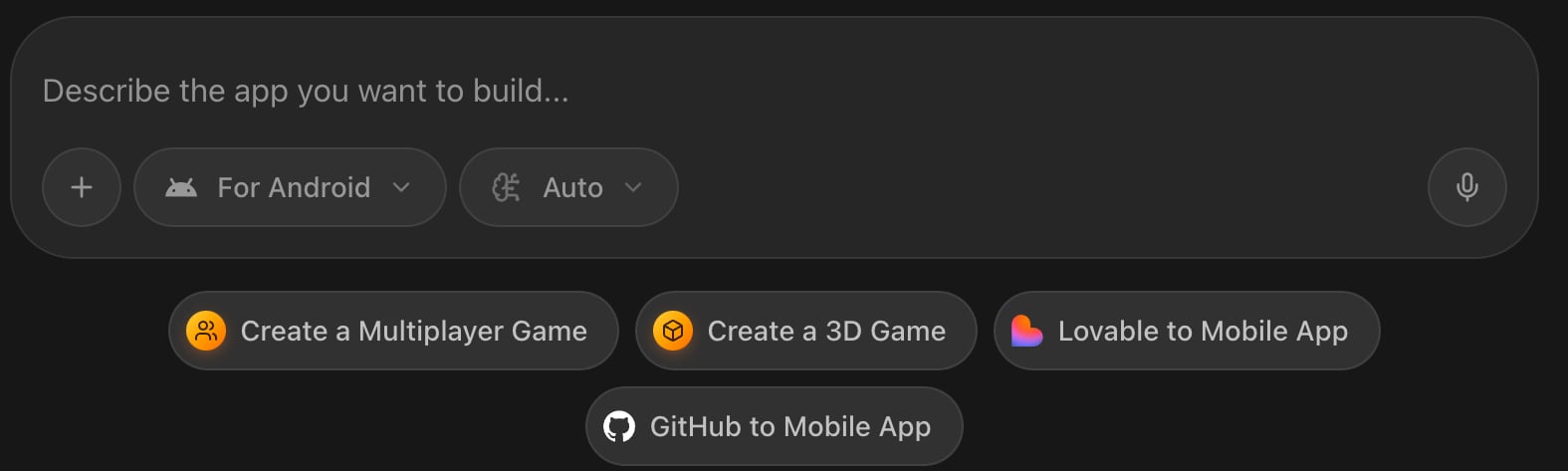 * **Create a 3D Game** fills in `Create a 3D game with realistic physics about...`
* **Create a Multiplayer Game** fills in `Create a multiplayer game about...`
Both also switch the platform to **web**, because a browser game is the fastest way to see something playable. Finish the sentence with your idea, and change the platform first if you want a native app instead.
You do not have to use the shortcuts. Describing the game in your own words works the same way:
```
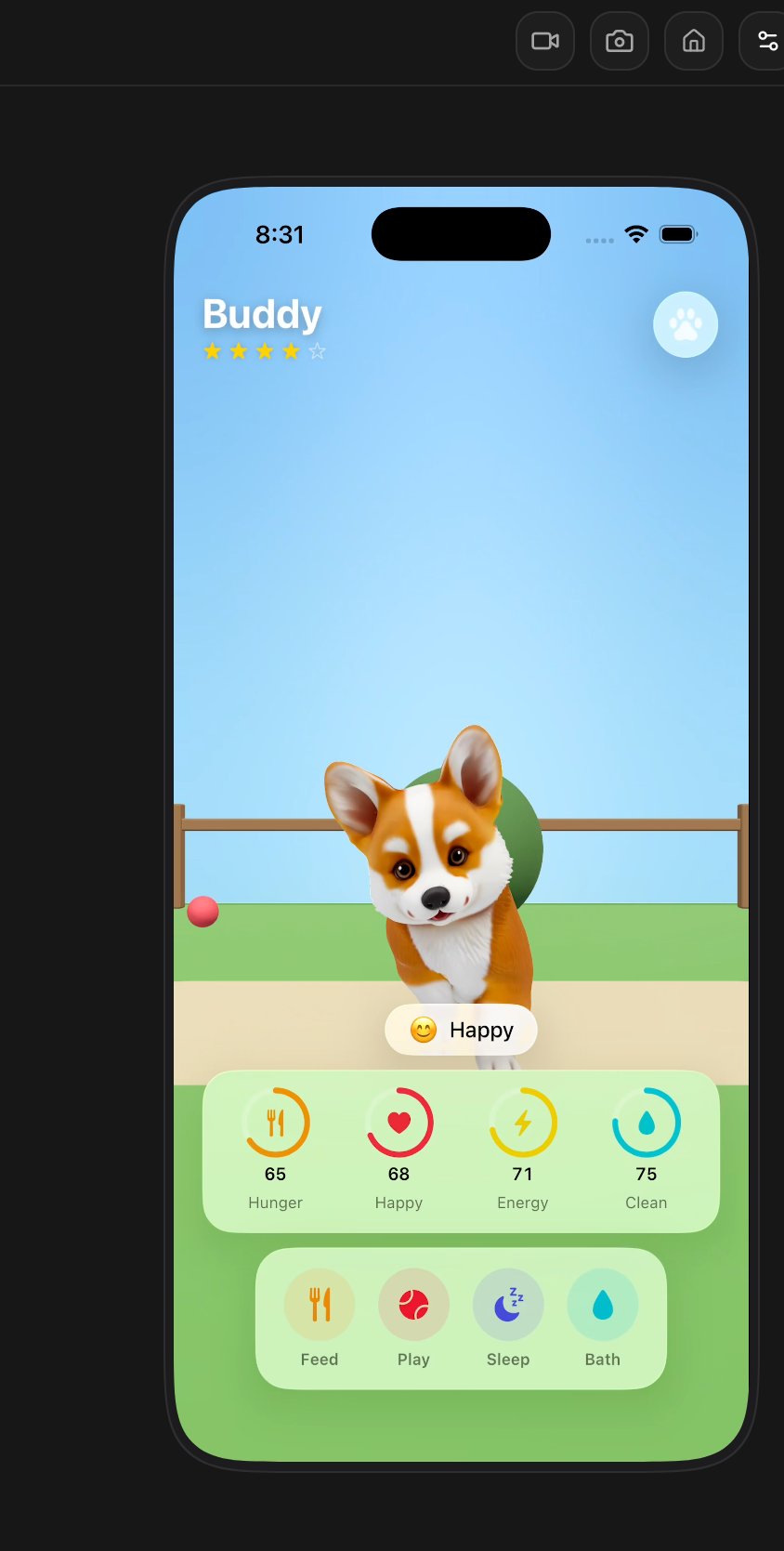
A 3D pet game. You feed, wash and play with a puppy in a garden, and its mood
and hunger change over time.
```
## Pick web or native
The same idea takes a different shape depending on where it runs. Decide this before you build, because it changes the engine, the distribution, and the plan you need.
| | Browser game | iPhone game |
| -------------- | ---------------------------------------------------- | ----------------------------------------------------- |
| **2D** | HTML canvas | SpriteKit |
| **3D** | three.js with React Three Fiber, physics with Rapier | RealityKit |
| **Share it** | A link, playable immediately | App Store review, then an install |
| **Feels like** | A web page that plays | A real app at native speed |
| **Plan** | Any paid plan | Rork Max, which lists "Games with native performance" |
Start in the browser to find out whether the game is fun. Move to native when it is, and when you want the App Store, Game Center, or the frame rate. See [Plans & Subscriptions](/introduction/subscriptions) and the [Rork Games page](https://rork.com/games).
* **Create a 3D Game** fills in `Create a 3D game with realistic physics about...`
* **Create a Multiplayer Game** fills in `Create a multiplayer game about...`
Both also switch the platform to **web**, because a browser game is the fastest way to see something playable. Finish the sentence with your idea, and change the platform first if you want a native app instead.
You do not have to use the shortcuts. Describing the game in your own words works the same way:
```
A 3D pet game. You feed, wash and play with a puppy in a garden, and its mood
and hunger change over time.
```
## Pick web or native
The same idea takes a different shape depending on where it runs. Decide this before you build, because it changes the engine, the distribution, and the plan you need.
| | Browser game | iPhone game |
| -------------- | ---------------------------------------------------- | ----------------------------------------------------- |
| **2D** | HTML canvas | SpriteKit |
| **3D** | three.js with React Three Fiber, physics with Rapier | RealityKit |
| **Share it** | A link, playable immediately | App Store review, then an install |
| **Feels like** | A web page that plays | A real app at native speed |
| **Plan** | Any paid plan | Rork Max, which lists "Games with native performance" |
Start in the browser to find out whether the game is fun. Move to native when it is, and when you want the App Store, Game Center, or the frame rate. See [Plans & Subscriptions](/introduction/subscriptions) and the [Rork Games page](https://rork.com/games).
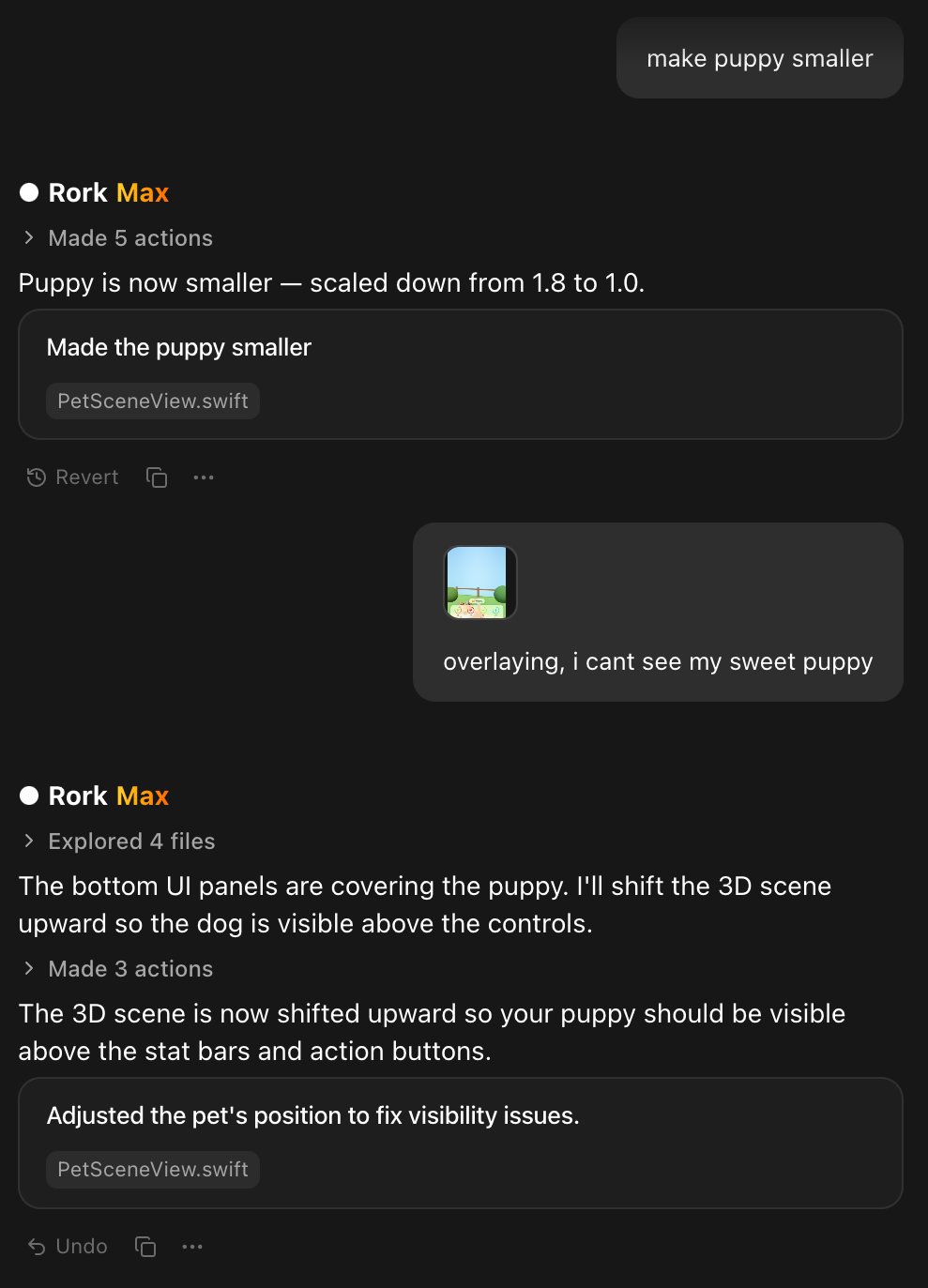 Short, specific asks work better than a list:
```
The camera is too close. Pull it back so the whole garden is visible.
```
```
The jump feels floaty. Increase gravity and shorten the hang time.
```
## Play it while you build
A browser game runs in the preview next to the chat, so you play it as you go.
An iPhone game needs a simulator, and the simulator costs credits while it runs.
Short, specific asks work better than a list:
```
The camera is too close. Pull it back so the whole garden is visible.
```
```
The jump feels floaty. Increase gravity and shorten the hang time.
```
## Play it while you build
A browser game runs in the preview next to the chat, so you play it as you go.
An iPhone game needs a simulator, and the simulator costs credits while it runs.
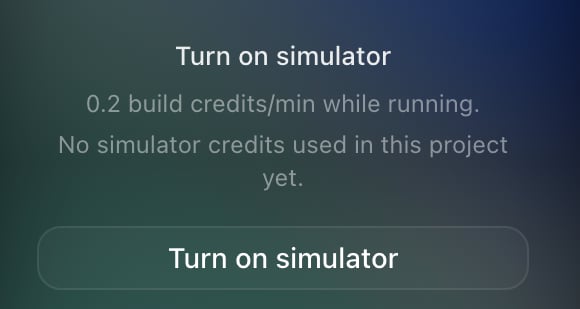 Turn it on to play, and stop it when you are done. The toolbar above the phone can also record the screen and take screenshots, which is where your store video and your first social post come from.
To feel the real frame rate, put the game on a real phone. See [Rork Max app for iPhone](/rork-max/rork-max-app).
## Multiplayer, honestly
Rork has no multiplayer product that you switch on. It writes the multiplayer code into your game, and how hard that is depends on the kind you want.
**Straightforward:** turn-based play, two players on one device, and rooms with a code.
**Harder:** real-time online play. It needs matchmaking, state syncing between players, and rules for what happens when somebody's connection drops. Rork's own FAQ says it plainly: expect a few rounds of iteration.
How it is built:
* **In the browser**, Rork writes a small server with Cloudflare Workers and Durable Objects, and the players talk to it over WebSockets.
* **On iPhone**, Rork uses **Game Center**, which brings real-time and turn-based matches, sign-in, leaderboards, and achievements for free.
* **Voice chat** is separate from the game state, and Rork hosts the servers that make it work.
Start turn-based and add real-time later. A turn-based game that works beats a real-time game that desyncs.
## What to expect
Generated games are real games, not tech demos, but they have a ceiling. Keep scenes in the range Rork targets: roughly a thousand moving things, a few hundred thousand triangles, textures that fit comfortably in memory. Ask for a low poly model when a detailed one is not needed, since it costs less and runs faster.
Some things are not what Rork does:
* **No Unity or Unreal**, and no importing a project from them.
* **Leaderboards** come from Game Center on iPhone. A browser game needs a backend, which Rork can build with [Rork Cloud](/backend/rork-cloud).
* **Selling things in the game** goes through the normal in-app purchase route. See [How to add a paywall with RevenueCat](/payment-guides/revenuecat-copied-1).
## Ship it
A browser game publishes like any web app: press **Publish**, and share the address. See [Rork Web](/web/rork-web).
An iPhone game goes to the App Store like any other app. Games get read carefully in review, so run the [AI App Store Reviewer](/ai-app-store-reviewer) first, and be careful with anything that looks like gambling, loot boxes, or a copied character. See [Publish your app](/introduction/deploy-your-app).
## FAQ
Turn it on to play, and stop it when you are done. The toolbar above the phone can also record the screen and take screenshots, which is where your store video and your first social post come from.
To feel the real frame rate, put the game on a real phone. See [Rork Max app for iPhone](/rork-max/rork-max-app).
## Multiplayer, honestly
Rork has no multiplayer product that you switch on. It writes the multiplayer code into your game, and how hard that is depends on the kind you want.
**Straightforward:** turn-based play, two players on one device, and rooms with a code.
**Harder:** real-time online play. It needs matchmaking, state syncing between players, and rules for what happens when somebody's connection drops. Rork's own FAQ says it plainly: expect a few rounds of iteration.
How it is built:
* **In the browser**, Rork writes a small server with Cloudflare Workers and Durable Objects, and the players talk to it over WebSockets.
* **On iPhone**, Rork uses **Game Center**, which brings real-time and turn-based matches, sign-in, leaderboards, and achievements for free.
* **Voice chat** is separate from the game state, and Rork hosts the servers that make it work.
Start turn-based and add real-time later. A turn-based game that works beats a real-time game that desyncs.
## What to expect
Generated games are real games, not tech demos, but they have a ceiling. Keep scenes in the range Rork targets: roughly a thousand moving things, a few hundred thousand triangles, textures that fit comfortably in memory. Ask for a low poly model when a detailed one is not needed, since it costs less and runs faster.
Some things are not what Rork does:
* **No Unity or Unreal**, and no importing a project from them.
* **Leaderboards** come from Game Center on iPhone. A browser game needs a backend, which Rork can build with [Rork Cloud](/backend/rork-cloud).
* **Selling things in the game** goes through the normal in-app purchase route. See [How to add a paywall with RevenueCat](/payment-guides/revenuecat-copied-1).
## Ship it
A browser game publishes like any web app: press **Publish**, and share the address. See [Rork Web](/web/rork-web).
An iPhone game goes to the App Store like any other app. Games get read carefully in review, so run the [AI App Store Reviewer](/ai-app-store-reviewer) first, and be careful with anything that looks like gambling, loot boxes, or a copied character. See [Publish your app](/introduction/deploy-your-app).
## FAQ