 The agent recreates your screens, navigation, data flows, and design in the new app. Both apps then live in **one project**, with:
* **Two codebases.** Swift for iPhone, Kotlin for Android. They are not one shared file.
* **One hosted backend.** If the project has Rork Cloud or Supabase, both apps talk to the same database.
* **One chat and one context.** The agent knows your whole product, so "add dark mode to both iOS and Android" can update each app.
* **One place to publish.** App Store, Google Play, and the web, from the same **Publish** menu.
The two apps can still drift. A Swift change is not the same file as a Kotlin change. The agent is how you keep them in sync. That is different from one shared React Native codebase.
## I already have an Expo project
It keeps working: you can build it, publish it, and sync it to GitHub as before.
We strongly recommend moving it to Swift. Open your Expo project and look at the panel next to the preview. Rork offers to rebuild the app in SwiftUI for you:
The agent recreates your screens, navigation, data flows, and design in the new app. Both apps then live in **one project**, with:
* **Two codebases.** Swift for iPhone, Kotlin for Android. They are not one shared file.
* **One hosted backend.** If the project has Rork Cloud or Supabase, both apps talk to the same database.
* **One chat and one context.** The agent knows your whole product, so "add dark mode to both iOS and Android" can update each app.
* **One place to publish.** App Store, Google Play, and the web, from the same **Publish** menu.
The two apps can still drift. A Swift change is not the same file as a Kotlin change. The agent is how you keep them in sync. That is different from one shared React Native codebase.
## I already have an Expo project
It keeps working: you can build it, publish it, and sync it to GitHub as before.
We strongly recommend moving it to Swift. Open your Expo project and look at the panel next to the preview. Rork offers to rebuild the app in SwiftUI for you:
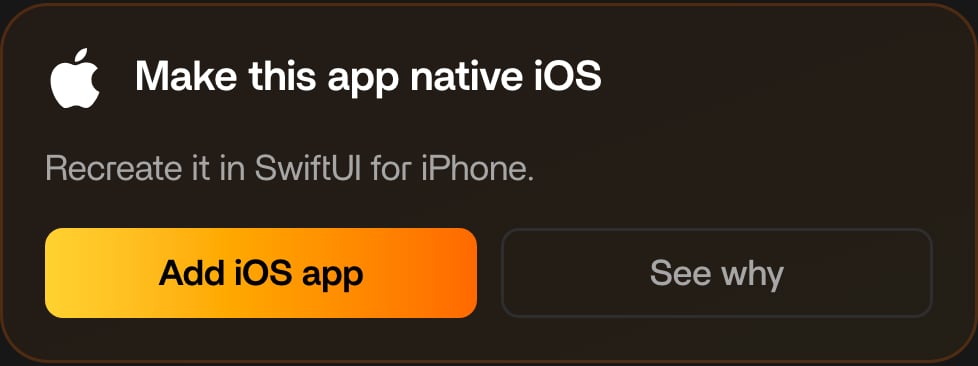 Click **Add iOS app** and the agent recreates your screens, navigation, data flows, and design as a native iPhone app in Swift. Your Expo app stays untouched in the same project, so nothing is lost if you want to compare them.
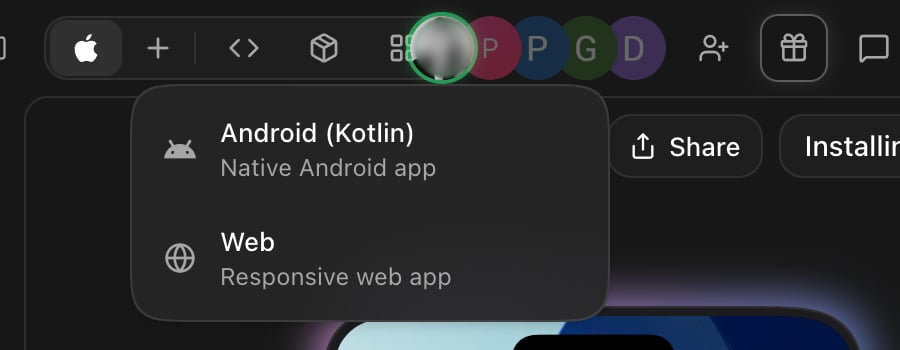
For Android, add the native app the same way: click **+** above the preview and pick **Android (Kotlin)**, or ask in chat:
```
Add a native Android app to this project
```
Both new apps live in the same project as your Expo app, sharing the backend and the chat, so you can move over one platform at a time.
Not sure which platform to start with? See [iPhone, Android, or web: what's the difference](/swift-vs-react-native/whats-the-difference), and [Convert your app between iOS, Android, and web](/import/convert-between-platforms) for every path between platforms.
Click **Add iOS app** and the agent recreates your screens, navigation, data flows, and design as a native iPhone app in Swift. Your Expo app stays untouched in the same project, so nothing is lost if you want to compare them.
For Android, add the native app the same way: click **+** above the preview and pick **Android (Kotlin)**, or ask in chat:
```
Add a native Android app to this project
```
Both new apps live in the same project as your Expo app, sharing the backend and the chat, so you can move over one platform at a time.
Not sure which platform to start with? See [iPhone, Android, or web: what's the difference](/swift-vs-react-native/whats-the-difference), and [Convert your app between iOS, Android, and web](/import/convert-between-platforms) for every path between platforms.