> ## Documentation Index
> Fetch the complete documentation index at: https://docs.rork.com/llms.txt
> Use this file to discover all available pages before exploring further.

# Main App Store rejection reasons

> These are the most common reasons for App Store rejections

export const CtaBanner = () => <div style={{
  display: "flex",
  alignItems: "center",
  justifyContent: "space-between",
  gap: "24px",
  flexWrap: "wrap",
  margin: "40px 0 8px",
  padding: "22px 28px",
  borderRadius: "16px",
  background: "linear-gradient(135deg,rgba(249,115,22,0.10),rgba(255,255,255,0.03),rgba(249,115,22,0.06))",
  border: "1px solid rgba(255,255,255,0.08)"
}}>
    <div>
      <div style={{
  fontSize: "19px",
  fontWeight: 700,
  color: "#fff",
  letterSpacing: "-0.3px",
  lineHeight: 1.3
}}>
        Build your app with Rork today.
      </div>
      <div style={{
  fontSize: "14px",
  color: "rgba(255,255,255,0.6)",
  marginTop: "4px",
  lineHeight: 1.5
}}>
        Ship iOS, Android, and web apps by chatting with AI.
      </div>
    </div>
    <a href="https://rork.com" style={{
  flexShrink: 0,
  display: "inline-block",
  padding: "10px 24px",
  background: "linear-gradient(135deg,#fff,#f0f0f0)",
  color: "#000",
  fontSize: "14px",
  fontWeight: 600,
  borderRadius: "100px",
  textDecoration: "none",
  whiteSpace: "nowrap"
}}>
      Try Rork for Free
    </a>
  </div>;

(add dos and don'ts)\
Most common rejection reasons:

* Permission problems in app.json
* Subscription issues
* iPad Screenshots

## App.Json or Info.plist issues

<img src="https://mintcdn.com/rork/XAd9xDfEL-Qsssvv/images/image-92.png?fit=max&auto=format&n=XAd9xDfEL-Qsssvv&q=85&s=21b816826c557219946b6b8f67af36da" alt="Image" width="1730" height="716" data-path="images/image-92.png" />

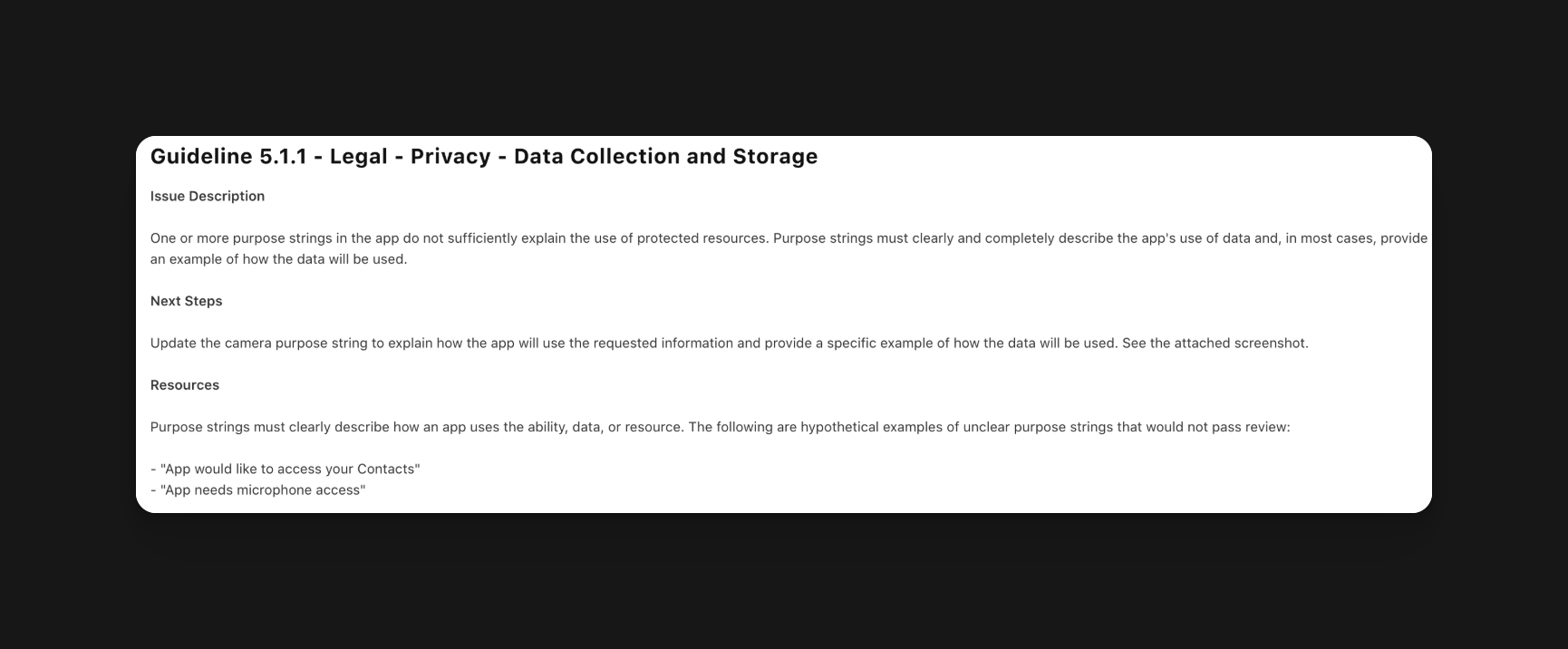
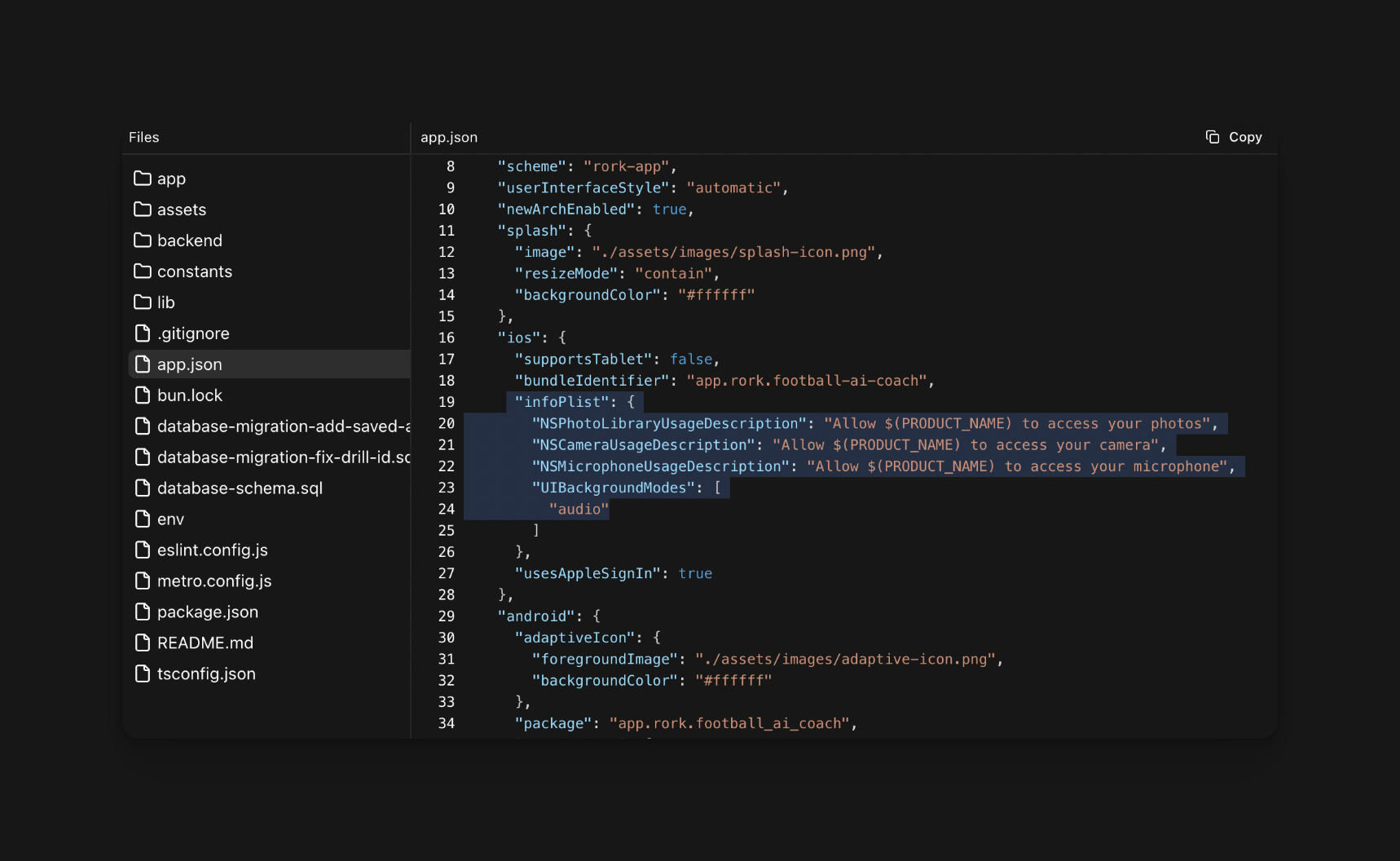
This happens when your app asks for permission from the user's phone, but they don't specify the exact reason why.
<img src="https://mintcdn.com/rork/XAd9xDfEL-Qsssvv/images/image-93.png?fit=max&auto=format&n=XAd9xDfEL-Qsssvv&q=85&s=47b8de2dfb95d8b99e24e3d6773c9559" alt="Image" width="1718" height="1056" data-path="images/image-93.png" />

<Warning>
  The code above would be rejected by Apple. It does not properly explain the need for each permission.
</Warning>

<img src="https://mintcdn.com/rork/XAd9xDfEL-Qsssvv/images/image-94.png?fit=max&auto=format&n=XAd9xDfEL-Qsssvv&q=85&s=56936e31710a254a5da7a5a773d82687" alt="Image" width="1714" height="490" data-path="images/image-94.png" />

<Check>
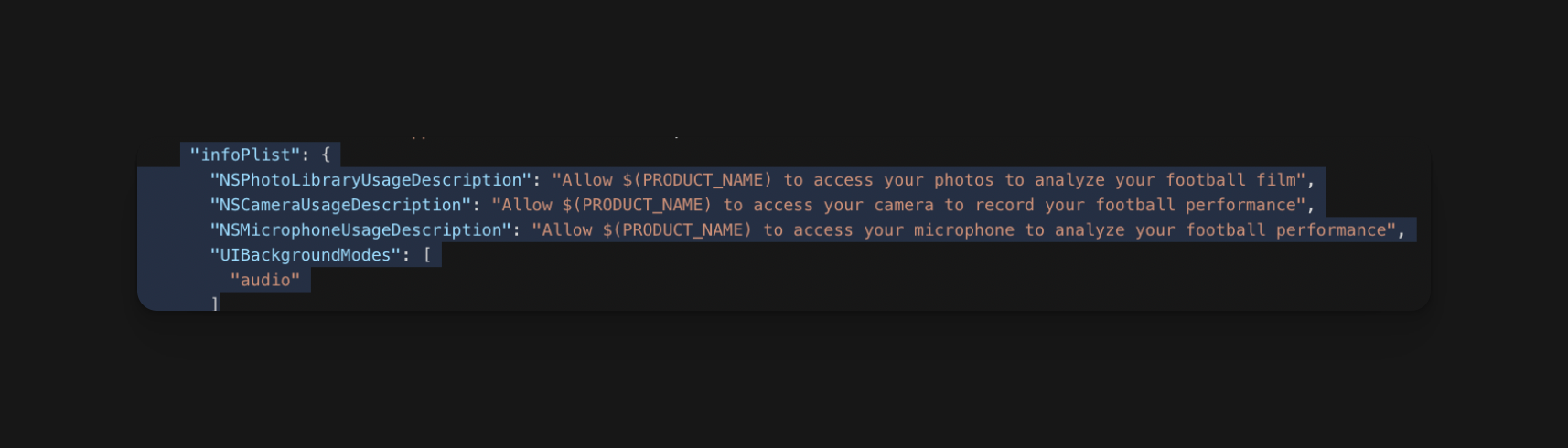
  The above code shows a thorough description of why each permission is needed.
</Check>

## How do I fix this issue?

Typically, Rork already explains the purpose of each permission. However, if this issue occurs, navigate to the `app.json` file, scroll to `infoPlist`, and manually correct the entries.\
\
For more guidance, you can refer to the Rork agent.

## Subscription issues

<img src="https://mintcdn.com/rork/XAd9xDfEL-Qsssvv/images/image-95.png?fit=max&auto=format&n=XAd9xDfEL-Qsssvv&q=85&s=19847ecd834d0cfee94734ff852ae162" alt="Image" width="1728" height="736" data-path="images/image-95.png" />

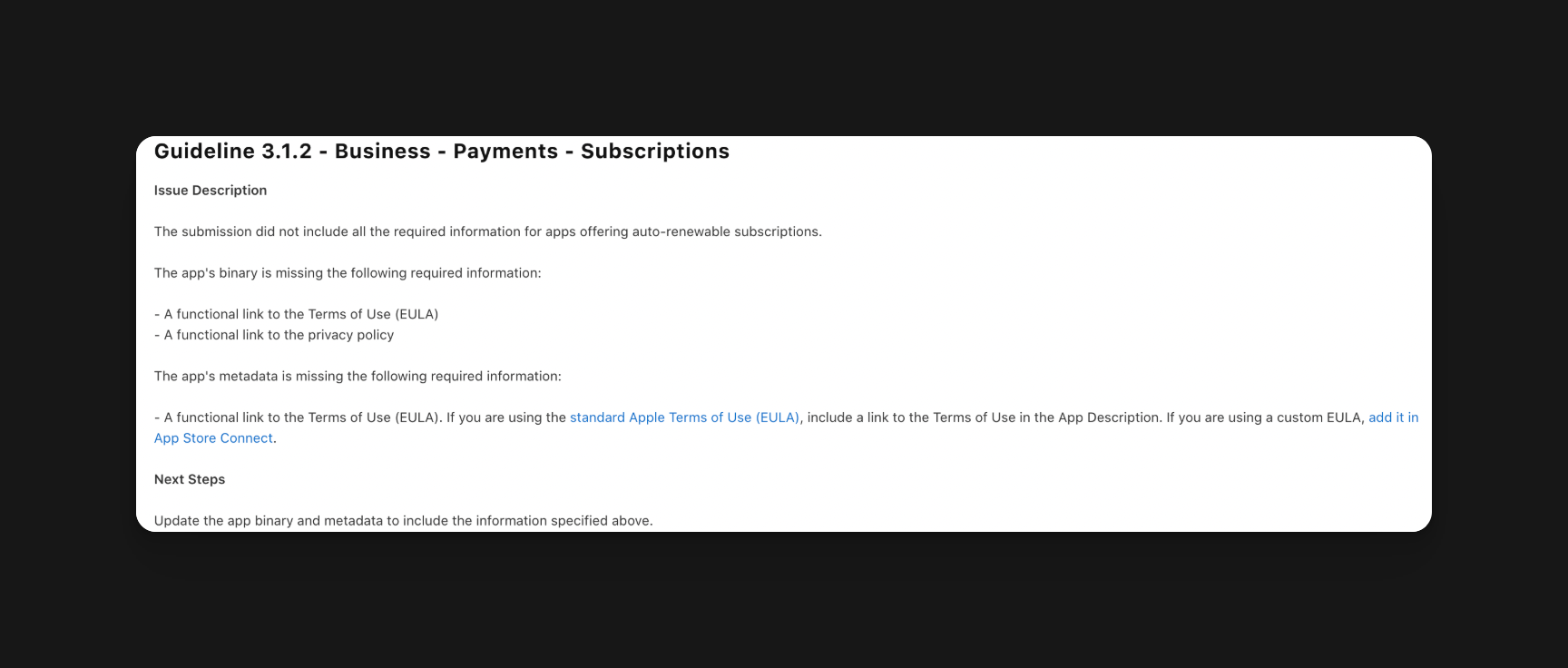
When adding a paywall or in-app purchases to your app, you need to have your privacy policy, terms and conditions, and your EULA both in your App store description and visible in your paywall

**How to create policies?**\
\
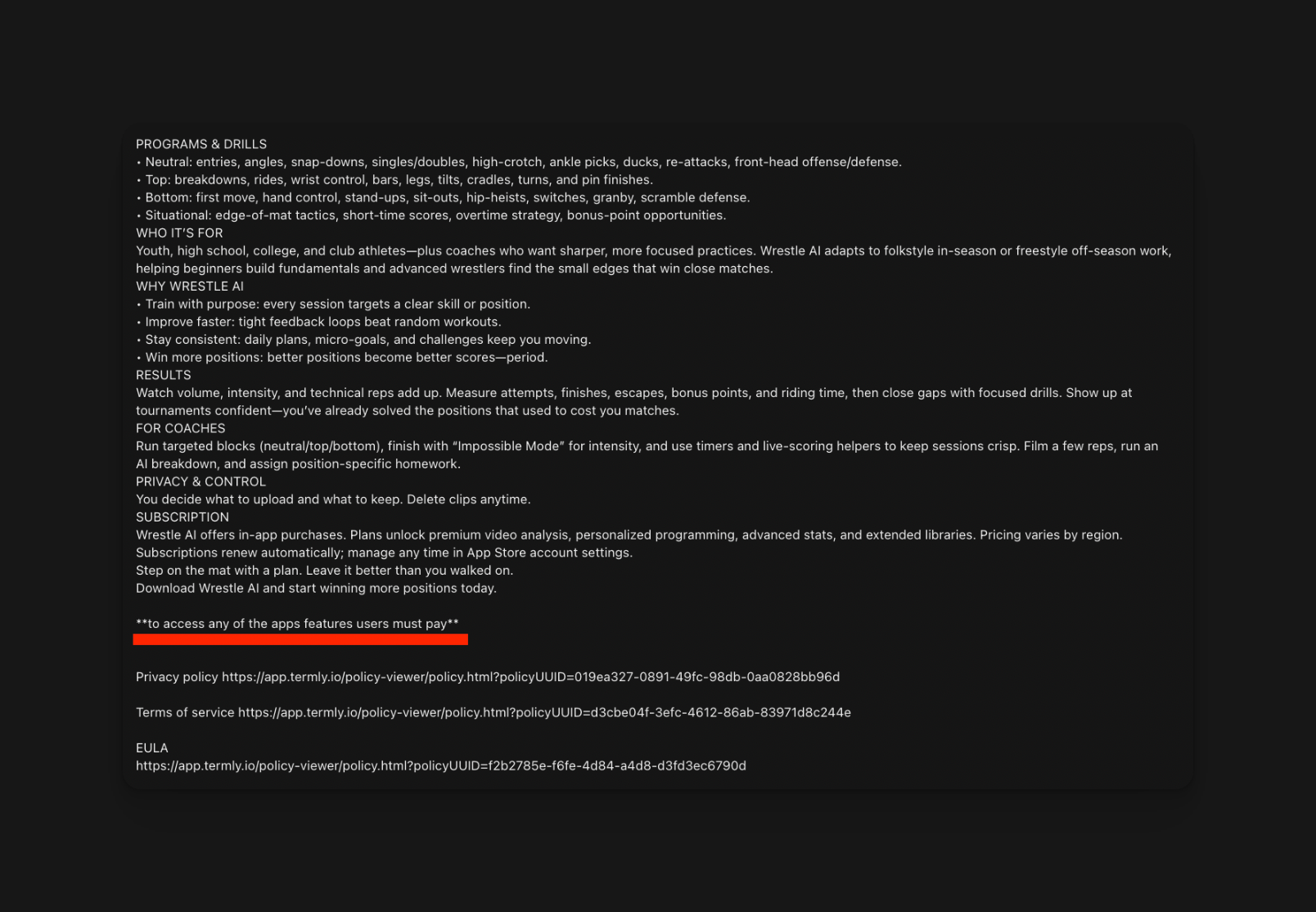
If you are using a hard paywall, you must mention that all features are blocked by a paywall in your App Store description, otherwise apple will also reject you.
<img src="https://mintcdn.com/rork/XAd9xDfEL-Qsssvv/images/image-96.png?fit=max&auto=format&n=XAd9xDfEL-Qsssvv&q=85&s=9e918c16756d6bad138d354781549c16" alt="Image" width="1608" height="1114" data-path="images/image-96.png" />

## Ipad Screenshots

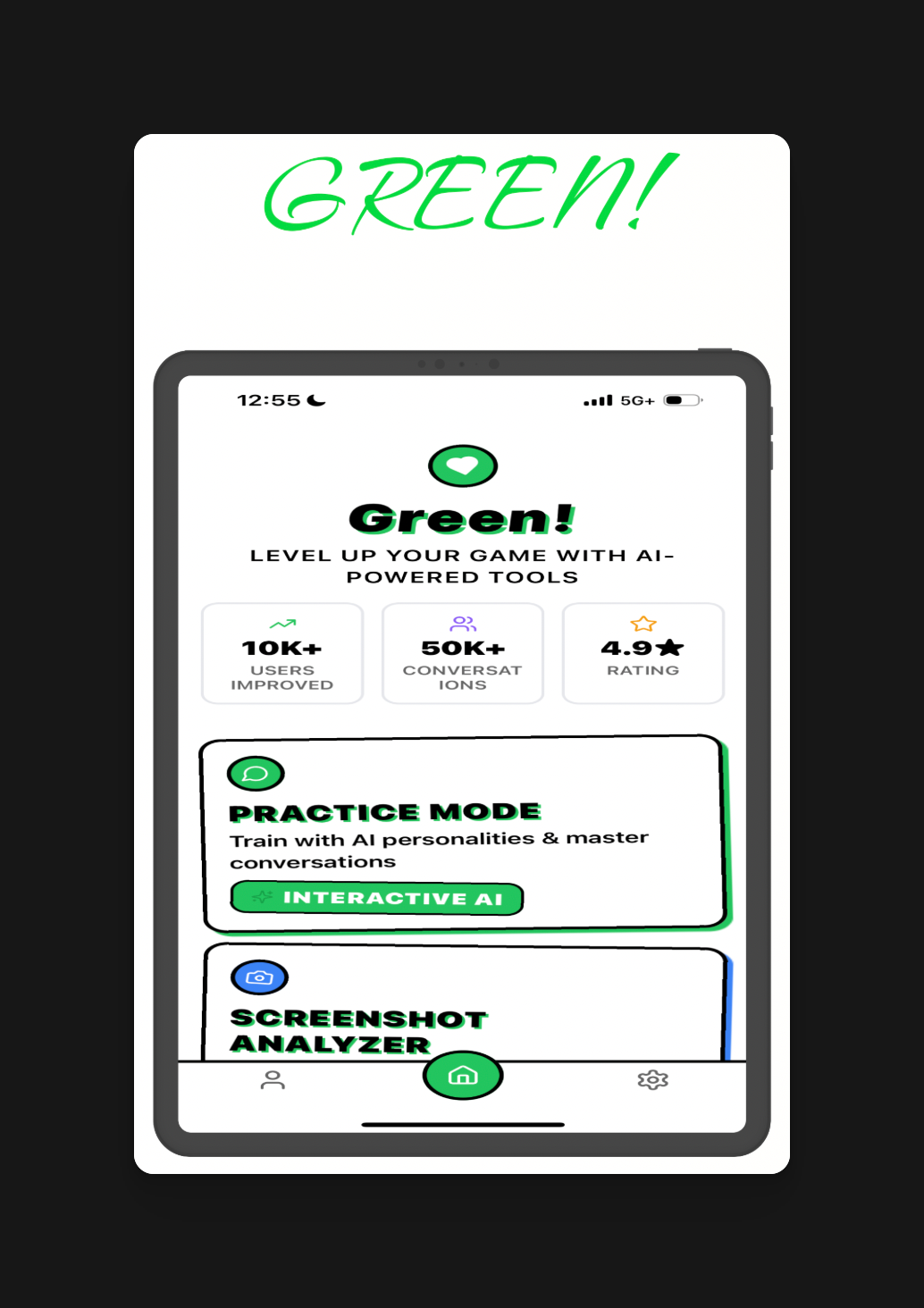
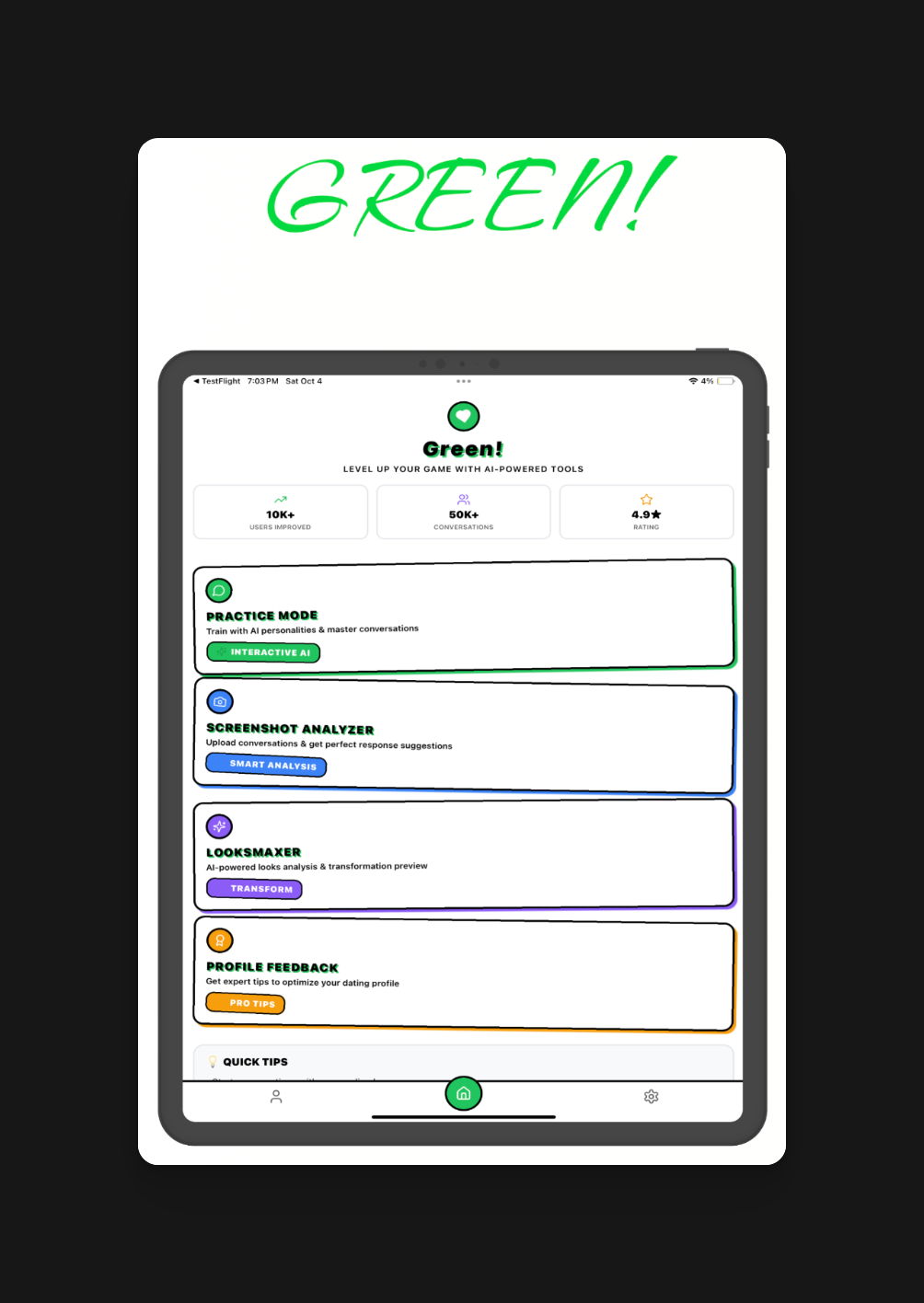
You can't just submit photos of an iPhone screenshot just stretched to the size of an iPad; Apple will reject you.
<img src="https://mintcdn.com/rork/XAd9xDfEL-Qsssvv/images/image-97.png?fit=max&auto=format&n=XAd9xDfEL-Qsssvv&q=85&s=66f599d6610775c8cd5da66f5c4b012e" alt="Image" width="1034" height="1464" data-path="images/image-97.png" />

<Danger>
  This will be rejected because they're not real iPad screenshots; they're just stretched iPhone screenshots.
</Danger>

<img src="https://mintcdn.com/rork/XAd9xDfEL-Qsssvv/images/image-98.png?fit=max&auto=format&n=XAd9xDfEL-Qsssvv&q=85&s=164023601670dbc38c01fa3833181614" alt="Image" width="1004" height="1416" data-path="images/image-98.png" />

<Check>
  Will be accepted because it's a real screenshot of an iPad
</Check>

## What if I don't have access to an iPad?

You can go to [Xcode](/how-to-set-up-xcode/how-to-set-up-xcoe) and launch an iPad simulator, then take the screenshots.

<CtaBanner />